


如何用python实现爬取CSDN热门评论URL并存入redis

Redis Assistant 是一款为Redis设计的高效可视化管理与监控工具,提供多种操作模式,高效处理服务器数据。日常使用里的持续防护和信息管理会更突出,适合把安全控制放进长期使用流程中的场景。
一、配置webdriver下载谷歌浏览器驱动,并配置好importtimeimportrandomfromPILimportImagefromseleniumimportwebdriverfromselenium.webdriver.common.byimportByfromselenium.webdriver.support.uiimportWebDriverWaitfromselenium.webdriver.supportimportexpected_conditionsasECif_
一、配置webdriver
下载谷歌浏览器驱动,并配置好
import timeimport randomfrom PIL import Imagefrom selenium import webdriverfrom selenium.webdriver.common.by import Byfrom selenium.webdriver.support.ui import WebDriverWaitfrom selenium.webdriver.support import expected_conditions as ECif __name__ == '__main__':options = webdriver.ChromeOptions()options.binary_location = r'C:UsershhhAppDataLocalGoogleChromeApplication谷歌浏览器.exe'# driver=webdriver.Chrome(executable_path=r'D:360Chromechromedriverchromedriver.exe')driver = webdriver.Chrome(options=options)#以java模块为例driver.get('https://www.csdn.net/nav/java')for i in range(1,20):driver.execute_script("window.scrollTo(0, document.body.scrollHeight)")time.sleep(2)二、获取URL
from bs4 import BeautifulSoupfrom lxml import etree
html = etree.HTML(driver.page_source)# soup = BeautifulSoup(html, 'lxml')# soup_herf=soup.find_all("#feedlist_id > li:nth-child(1) > div > div > h2 > a")# soup_herftitle = html.xpath('//*[@id="feedlist_id"]/li/div/div/h2/a/@href')
可以看到,一下爬取了很多,速度非常快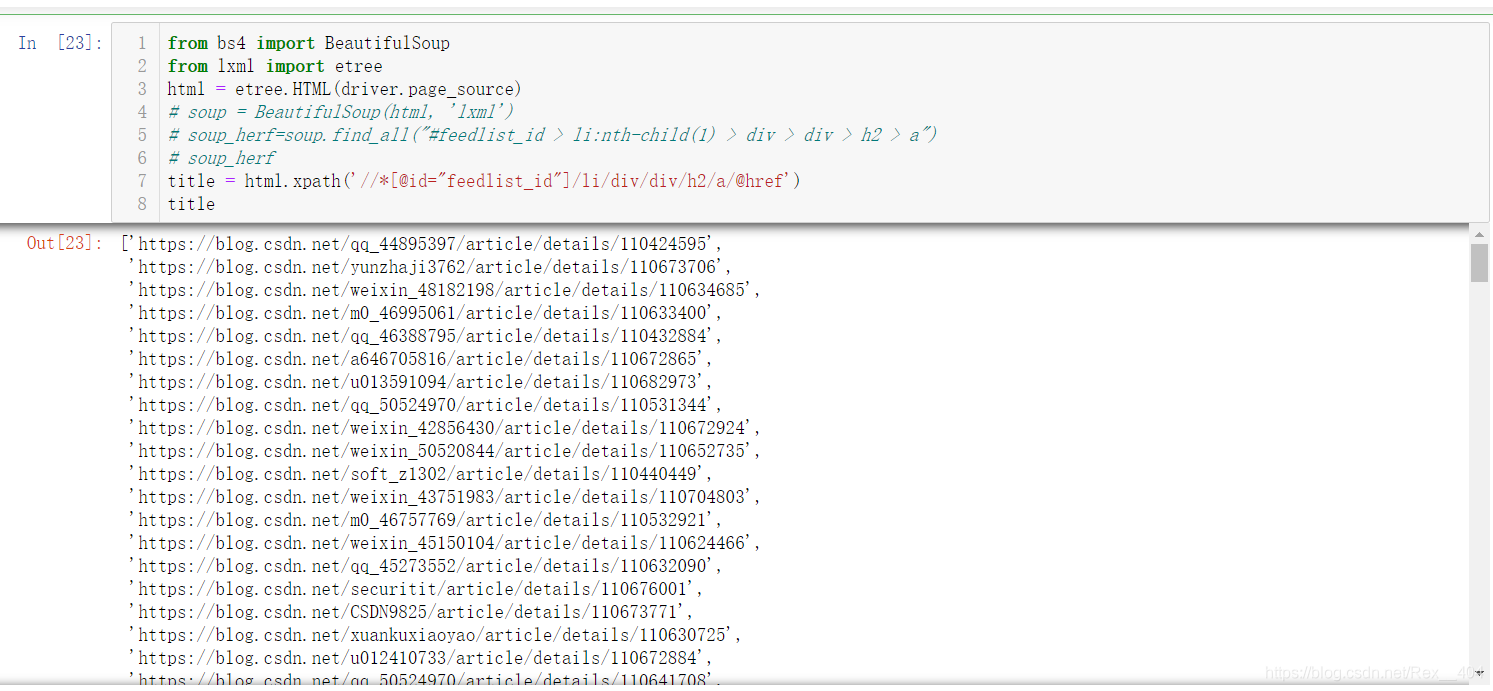
三、写入Redis
导入redis包后,配置redis端口和redis数据库,用rpush函数写入
打开redis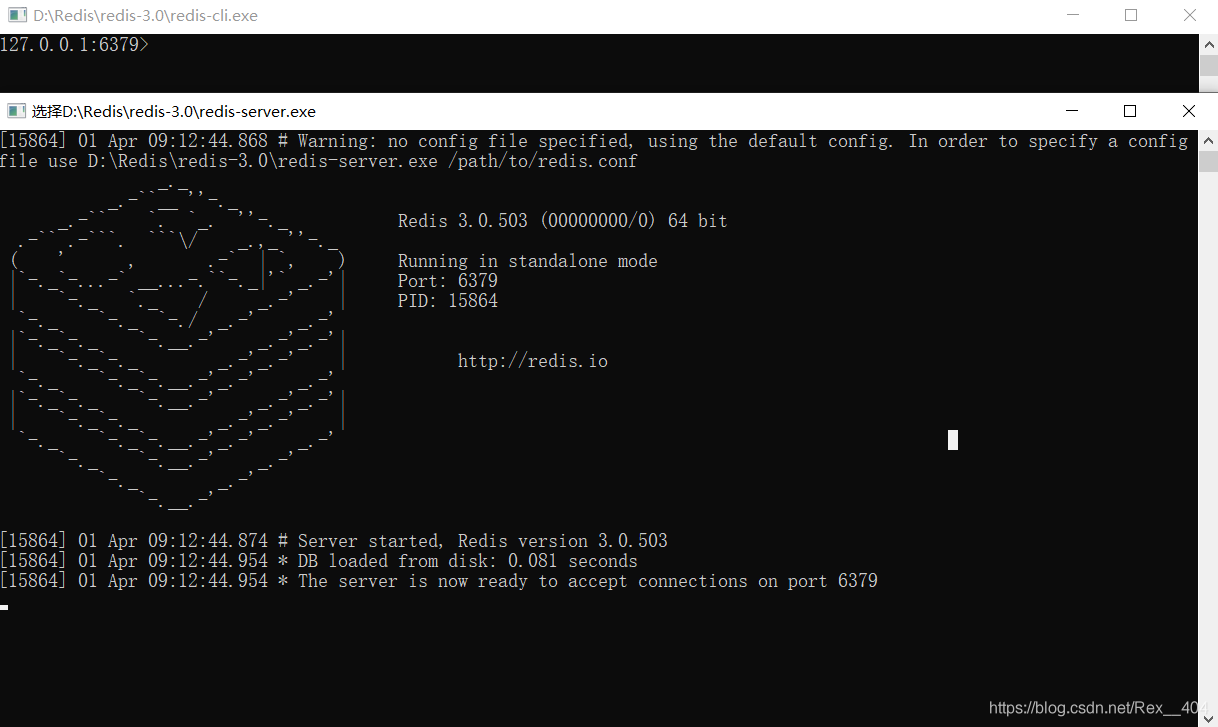
import redis
r_link = redis.Redis(port='6379', host='localhost', decode_responses=True, db=1)for u in title:print("准备写入{}".format(u))r_link.rpush("csdn_url", u)print("{}写入成功!".format(u))print('=' * 30, 'n', "共计写入url:{}个".format(len(title)), 'n', '=' * 30)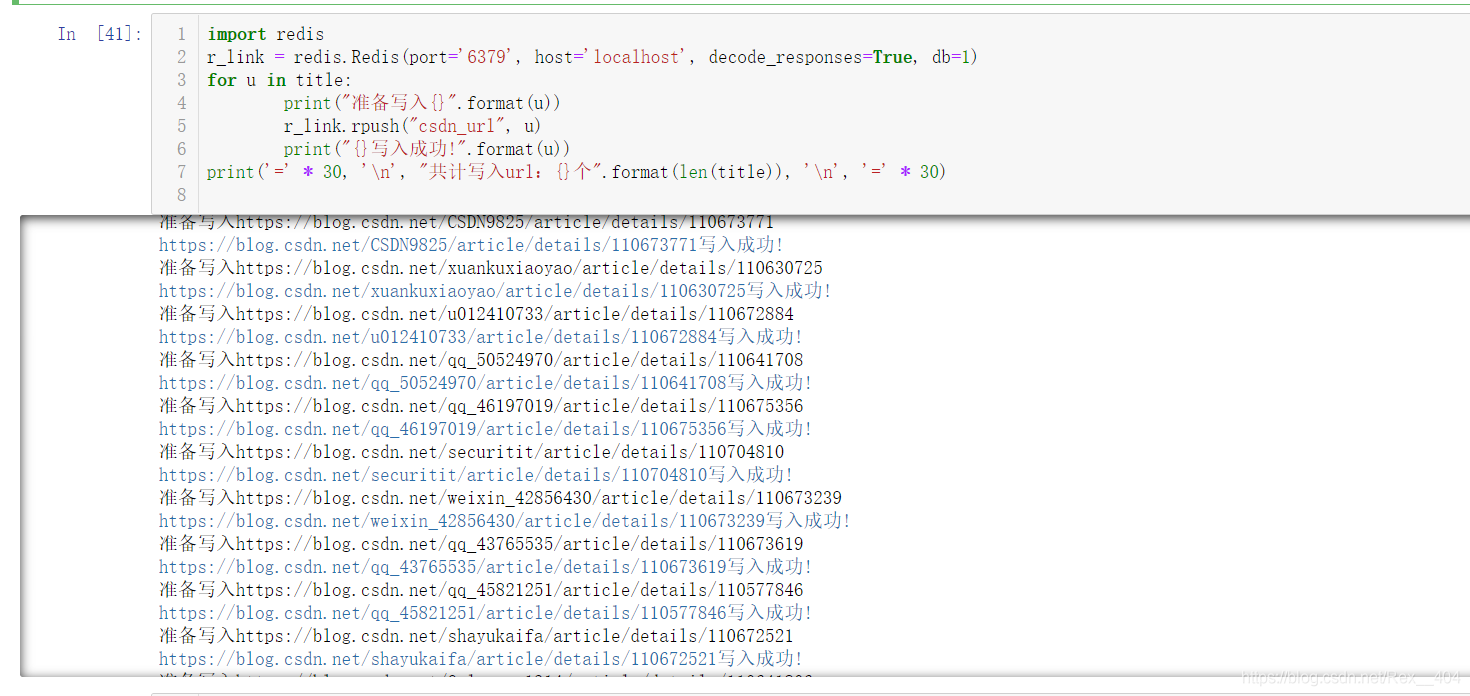
大功告成!
在Redis Desktop Manager中可以看到,爬取和写入都是非常的快。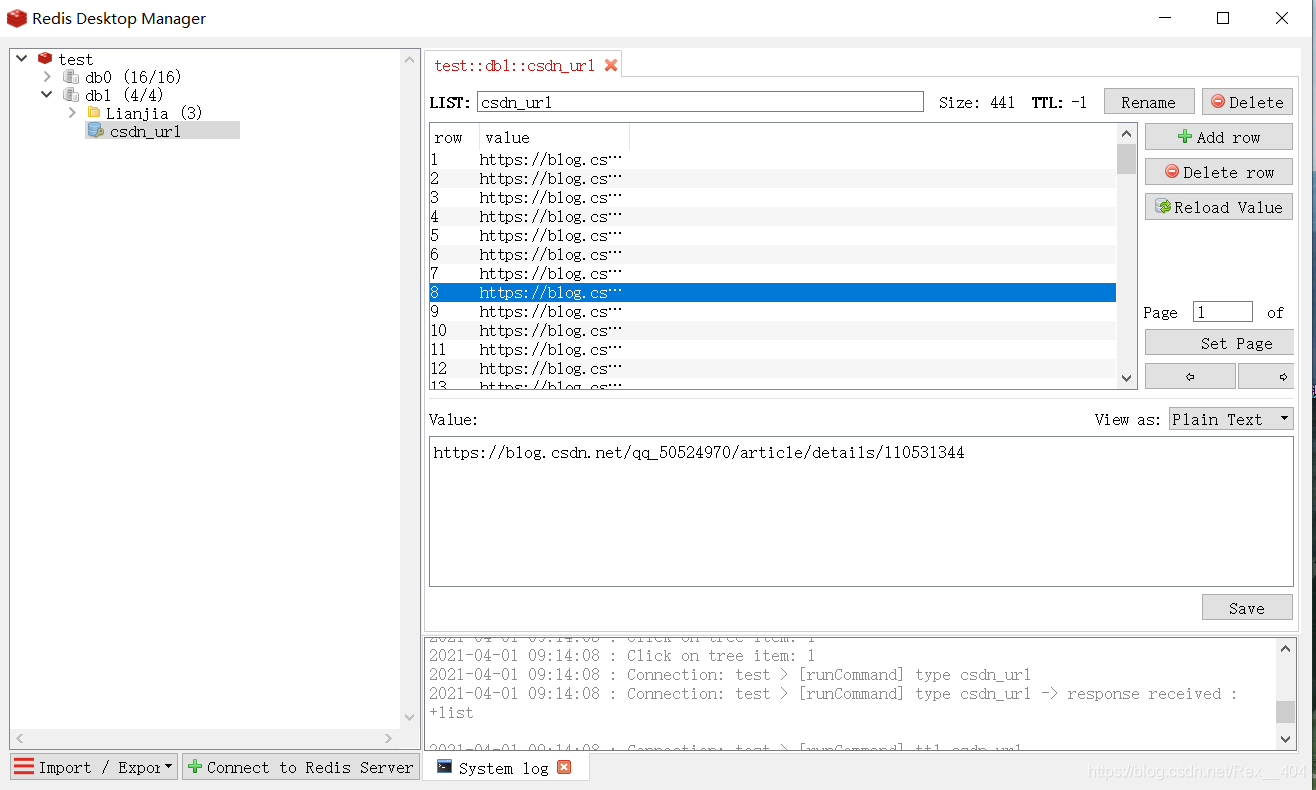
要使用只需用rpop出栈就OK
one_url = r_link.rpop("csdn_url)")while one_url:print("{}被弹出!".format(one_url)) 








火山引擎是字节跳动旗下企业级云与AI服务平台。聚焦大模型核心能力,依托字节自研豆包多模态大模型,凭借火山方舟一站式平台,提供模型精调、推理部署、智能应用搭建等全链路服务,结合高性能AI算力,助力各行业快速落地大模型数字化与智能化应用。








AirBuddy 3 是面向 macOS 的蓝牙外设增强工具,可集中查看 AirPods、Beats 与苹果设备电量,提供快速连接、播放控制、电量提醒、桌面小组件和多台 Mac 外设接力等功能。

AirServer macOS版可把 Mac 转换为无线投屏接收端,通过 AirPlay 或 Google Cast 接收手机、平板和电脑画面,并支持多设备同时连接、高清镜像及会话录制,适合家庭娱乐、课堂教学、会议演示和应用展示。

火山引擎是字节跳动旗下企业级云与AI服务平台。聚焦大模型核心能力,依托字节自研豆包多模态大模型,凭借火山方舟一站式平台,提供模型精调、推理部署、智能应用搭建等全链路服务,结合高性能AI算力,助力各行业快速落地大模型数字化与智能化应用。

PixTV 是一款在浏览器中使用的 AI 视觉内容创作平台,提供图片、视频、音频、文字生成、AI 分镜、局部重绘、提示词反推和无限画布等工具,适合短剧、漫剧、广告及社交媒体内容制作。


Autodesk Maya 是面向影视、电视、动画和游戏行业的专业三维制作软件,集多边形与 NURBS 建模、角色绑定、关键帧和动作捕捉动画、Bifrost 特效模拟、材质开发及 Arnold 渲染于一体,