


Java常用开发编辑器工具有哪些
1.editplus1.1官方下载https://www.editplus.com/官方下载最新的64位2.解压就可以使用2.1vscodevscode是微软推出的免费,开源的代码编辑器工具2.2下载2.3解压建立data在程序目录中,建立一个data目录2.4软件常用配置方式settings.json{"window.zoomLevel":0,"workbench.iconTheme":"vscode-icons","workbench.startupEditor":"newUntitledFile",
1.editplus
1.1 官方下载
https://www.editplus.com/
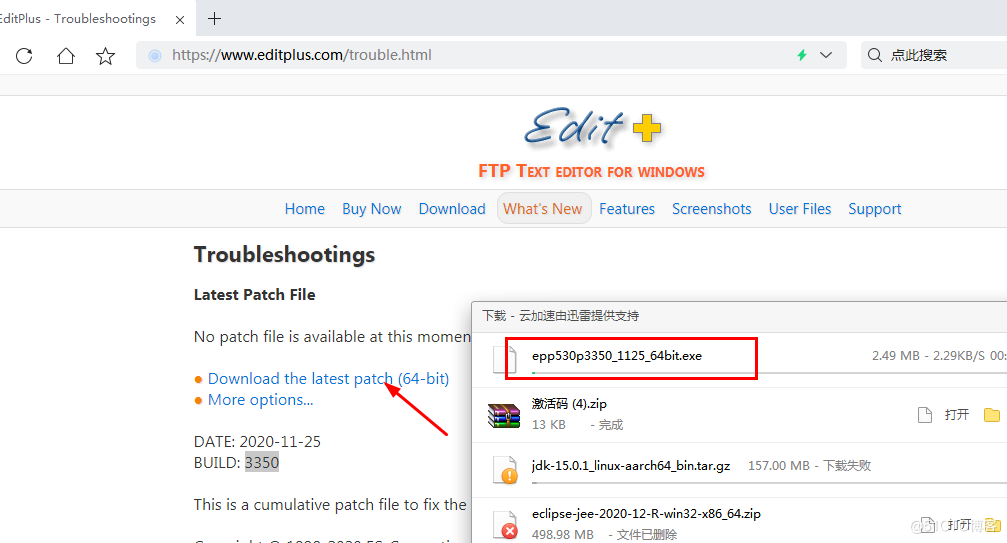
官方下载最新的64位
2 .解压就可以使用
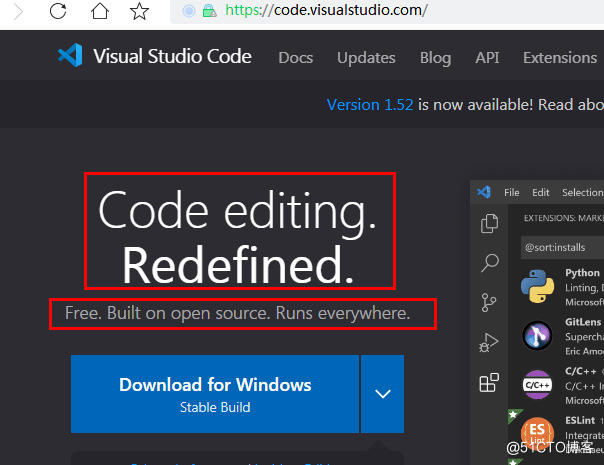
2.1 vscode
vscode是微软推出的免费,开源的代码编辑器工具
2.2下载
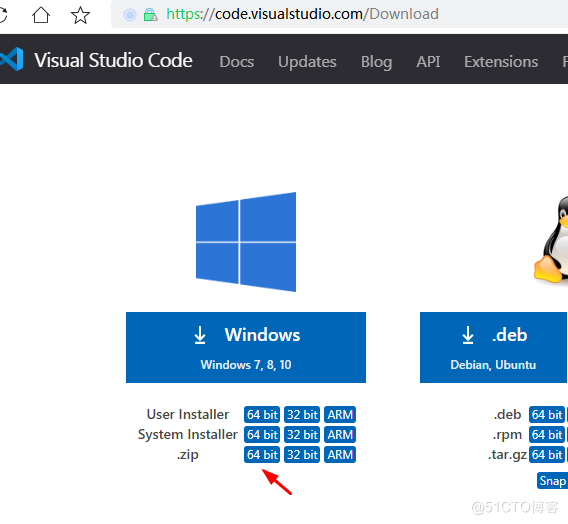

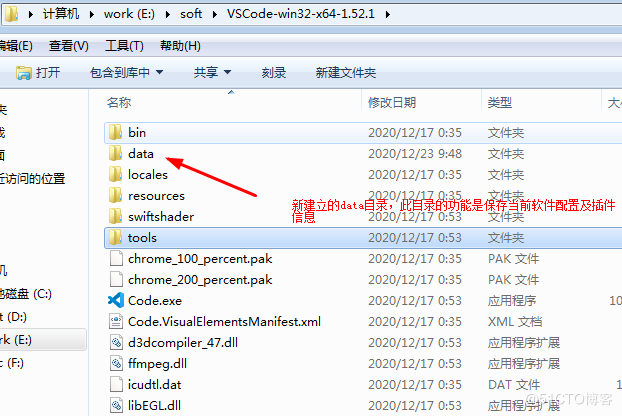
2.3 解压建立data
在程序目录中,建立一个data目录
2.4软件常用配置方式settings.json
{
    "window.zoomLevel": 0,
    "workbench.iconTheme": "vscode-icons",
    "workbench.startupEditor": "newUntitledFile",
    "window.menuBarVisibility": "toggle",
    "workbench.activityBar.visible": true,
    "editor.fontFamily": "Consolas, 'Courier New', monospace",
    "editor.fontSize": 18,
    "editor.lineHeight": 25,
    "editor.lineNumbers": "on",
    "editor.mouseWheelZoom": true,
    "editor.renderLineHighlight":"all",
    "files.autoSave": "afterDelay",
    "liveServer.settings.donotShowInfoMsg": true,
    "vsicons.dontShowNewVersionMessage": true,
    "breadcrumbs.enabled": true,
    "editor.minimap.enabled": false,
    "workbench.colorCustomizations": {
        //"editorLineNumber.foreground": "#17a346",
        //"editorGutter.background": "#02023011",
        //"editorCursor.foreground": "#d41313",
        //"editor.background": "#eeeeee00",
        "editor.lineHighlightBackground": "#2f5ad109",
        "editor.lineHighlightBorder": "#ced4d000"
    },
    "emmet.variables": {
        "lang":"zh-CN",
        "charset": "utf-8"
    },
    "[html]": {
        "editor.defaultFormatter": "vscode.html-language-features"
    },
    "diffEditor.renderSideBySide": true,
    "workbench.statusBar.visible": true,
    "liveServer.settings.host": "localhost",
    "liveServer.settings.port": 80,
    "liveServer.settings.AdvanceCustomBrowserCmdLine": "",
    "editor.suggestSelection": "first",
    "vsintellicode.modify.editor.suggestSelection": "automaticallyOverrodeDefaultValue",
    "files.exclude": {
        "**/.classpath": true,
        "**/.project": true,
        "**/.settings": true,
        "**/.factorypath": true
    },
    "vscodeGoogleTranslate.preferredLanguage": "Catalan",
    "diffEditor.ignoreTrimWhitespace": false,

    "open-in-browser.default": "D:\\Program Files (x86)\\chrome\\chrome.exe",
    "open-php-html-js-in-browser.customBrowserPath": "D:\\Program Files\\chrome\\chrome.exe",
    "settingsSync.ignoredExtensions": [

    ],

}
2.5vscode使用说明及快捷方式
vscode version 1.51.0 Readme
1)配置启动方式,设置扩展配置本地化 .vscode .code
桌面快捷方式启动参数 vsc\Code.exe --extensions-dir .vscode --user-data-dir .code
也可以不使用快捷方式,直接建立一个data目录也可以。
2)设置软件中文 英文,先安装扩展Chinese(Simplified) 插件
按下ctrl + shift + p 命令面板 输入config display language 点击可以选择en 也可以选择zh-CN 也可以下载其它语言
3)修改emmet本地模板文件语言及文档标题 lang="zh-CN"
Document 打开vsc/resources/app/extensions/emmet/dist/node/emmetNodeMain.js 文件
1:Document 1:http://example.com lang:"en",locale:"en-US",charset:"UTF-8" 大约5657行lang=zh,大约5097行设置设置网页标题
4)snippets 代码段提示 输入按下tab键,代码段文件位置vsc/.code/User/snippets/wyl.code-snippets
5)常用快捷键
常用快捷键:
ctrl+shift+w 关闭所有打开的文档窗口(默认不是自己设定的)
alt+/ 代码提示快捷键(默认是ctrl+space)
ctrl+x 剪切当前行
ctrl+shift+k 删除当前行
alt+shift+up(down) 向上行
alt+up(down) 向上移动代码行
ctrl++ 窗口增大
ctrl+- 窗口缩小
ctrl+0(数字键盘) 窗口恢复默认
ctrl + mouseWheelZoom 设置编辑器字号大小写(settings.json 配置"editor.mouseWheelZoom": true)
ctrl+/ 注释取消注释当前行
alt+shift+a 块注释
alt 设置快捷键为ctrl+shift+alt+f1 临时显示菜单
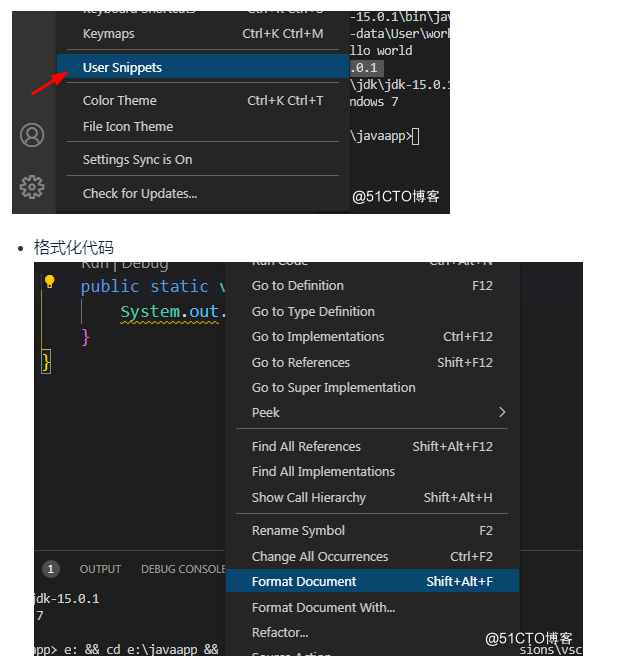
alt+shift+f 格式化文档
ctrl+b 打开左活动面板
ctrl+j 打开关闭面板
ctrl+` 打开终端面板,可以输入live-server
ctrl+g 快捷进行指定行代码位置
ctrl+shift+t 快速翻译当前选中的词汇(需要安装Yao Translate翻译插件)
F2 修改内容或修改文件名
ctrl+shift+alt+F12 打开浏览器使用live-serve服务器,直接浏览当前网页
ctrl+shift+alt+f1 菜单 开关
ctrl+shift+alt+f2 左侧,活动条 开关
ctrl+shift+alt+f3 show breadcrumbs 开关
ctrl+shift+alt+f4 show minimap 开关
ctrl+shift+alt+F6 状态条开关
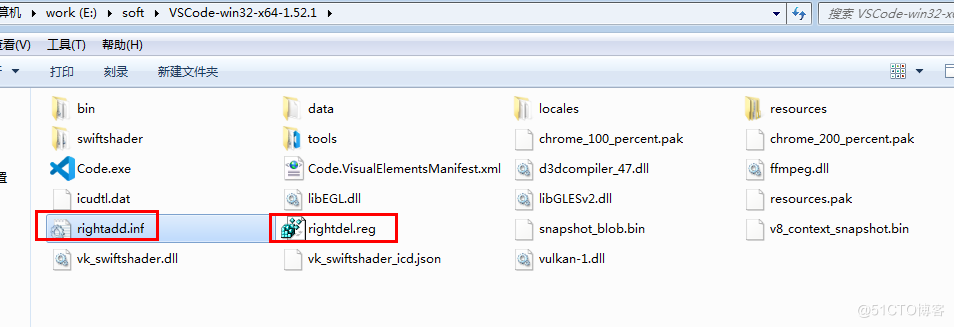
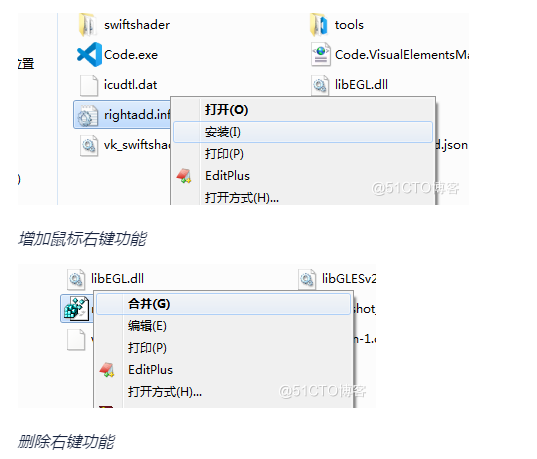
2.6为vscode增加鼠标右键功能
addmouseright.inf
[Version]
Signature="$Windows NT$"

[DefaultInstall]
AddReg=VSCode

[VSCode]
hkcr,"*\\shell\\VSCode",,,"Open with Code"
hkcr,"*\\shell\\VSCode\\command",,,"""%1%\Code.exe"" ""%%1"" %%*"
hkcr,"Directory\shell\VSCode",,,"Open with Code"
hkcr,"*\\shell\\VSCode","Icon",0x20000,"%1%\Code.exe, 0"
hkcr,"Directory\shell\VSCode\command",,,"""%1%\Code.exe"" ""%%1"""
delright.reg
Windows Registry Editor Version 5.00
[-HKEY_CLASSES_ROOT\*\shell\VSCode]
[-HKEY_CLASSES_ROOT\Directory\shell\VSCode]
2.7 用户代码段设置
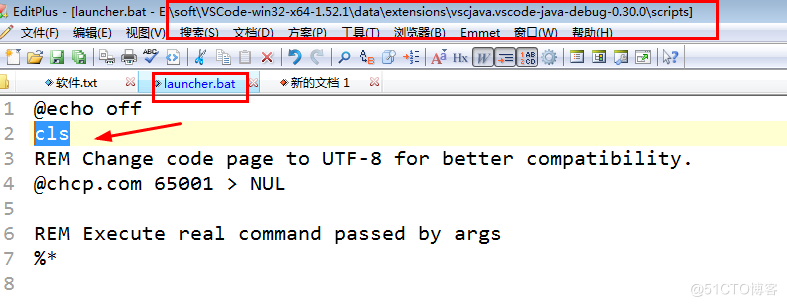
2.8清除每次执行java程序的一组长字符串
3.Eclipse
myeclipse是eclipse的插件,
3.1 eclipse基本安装使用
(1)、下载eclipse www.eclipse.org
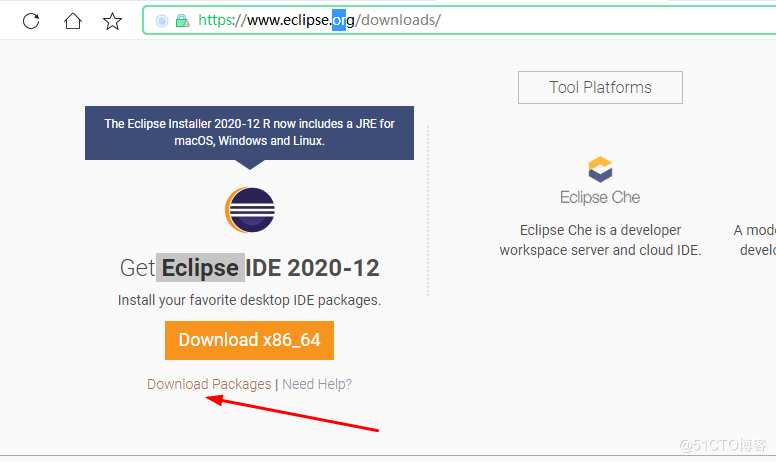
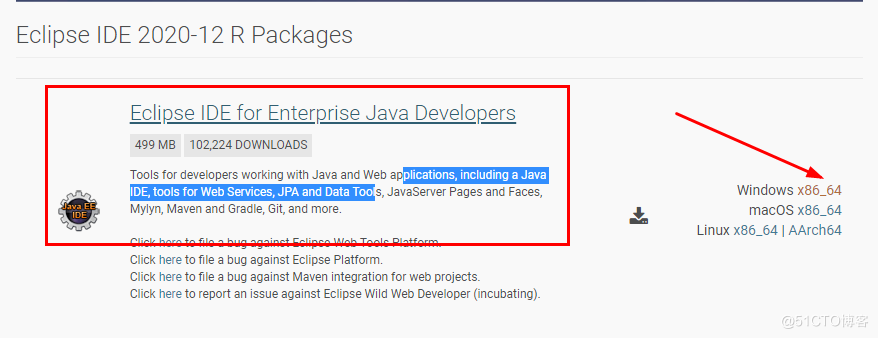
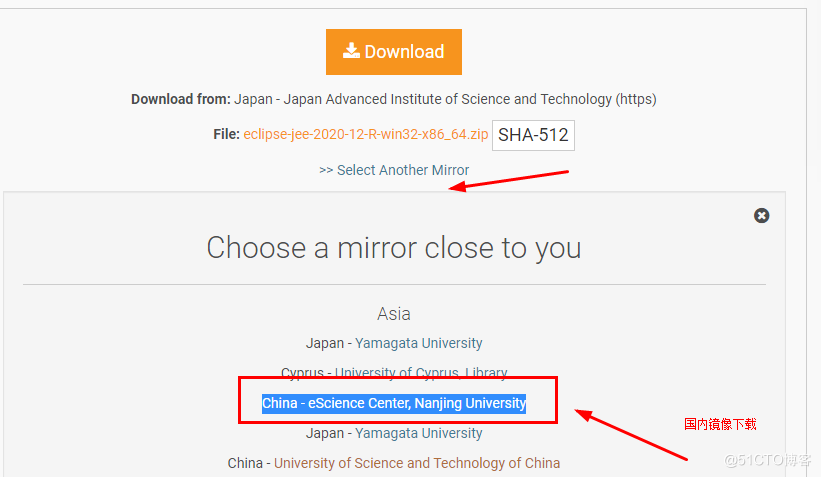
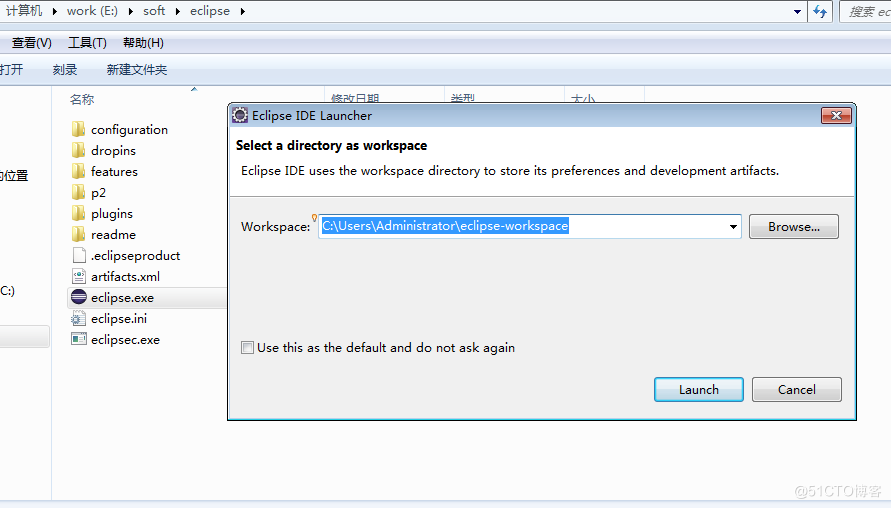
(2)、解压,直接启动开发工具
如果启动不了,jdk开发环境变量没有配置好
(3)、建立项目,编写代码,并运行程序
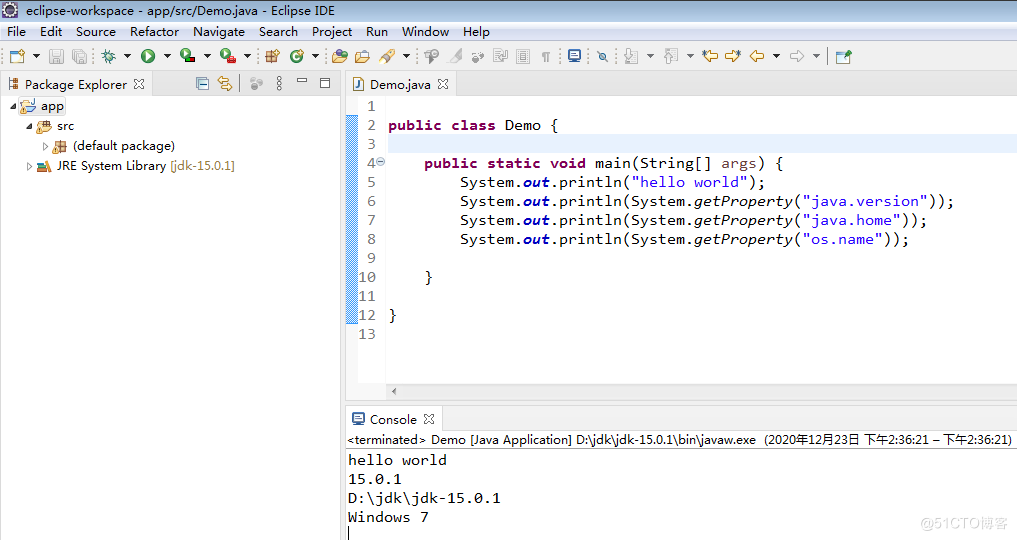
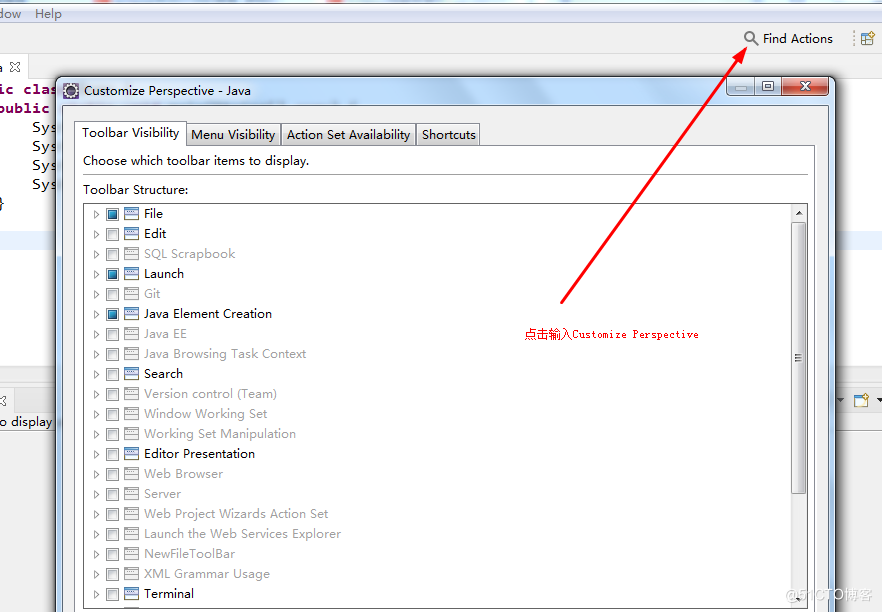
3.2 Eclipse隐藏菜单栏
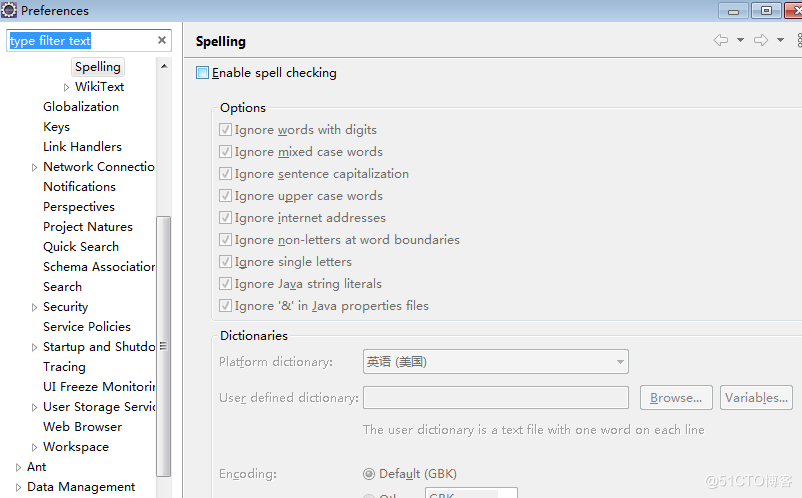
3.3关闭spelling检查
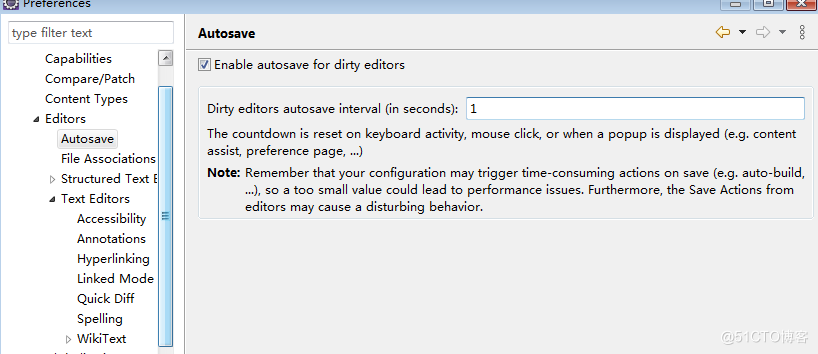
3.4启动自动保存功能
3.5代码皮肤 代码样式
http://www.eclipsecolorthemes.org/ 下载epf 在eclipse 文件菜单 选择import 导入
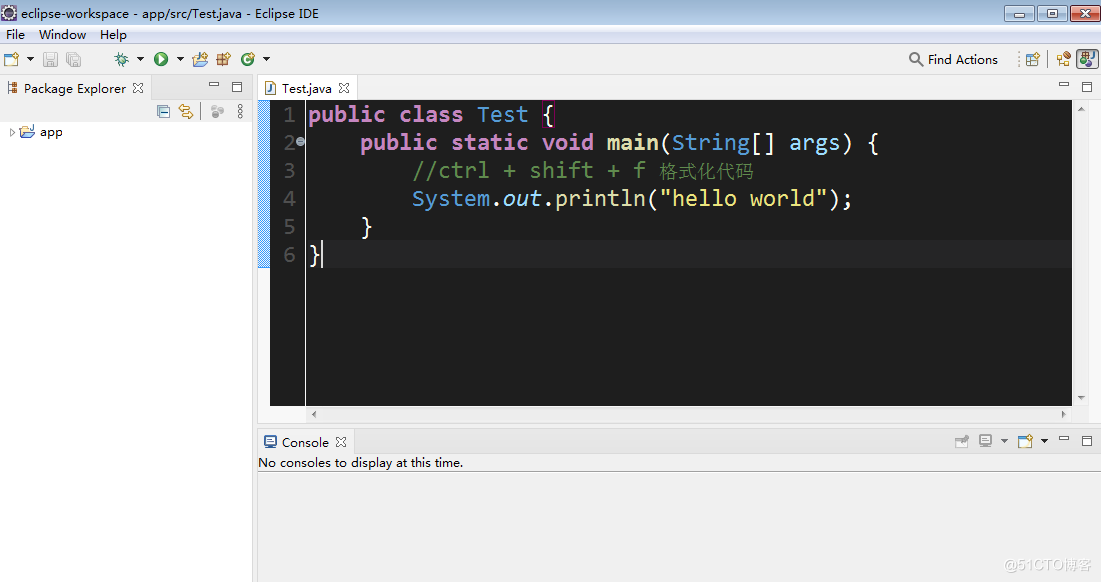
3.6中英互译项目
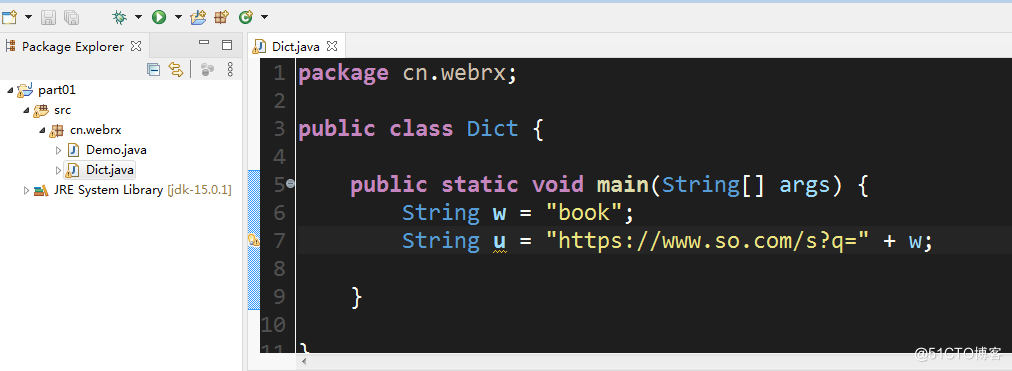
(1)、eclipse 建立项目
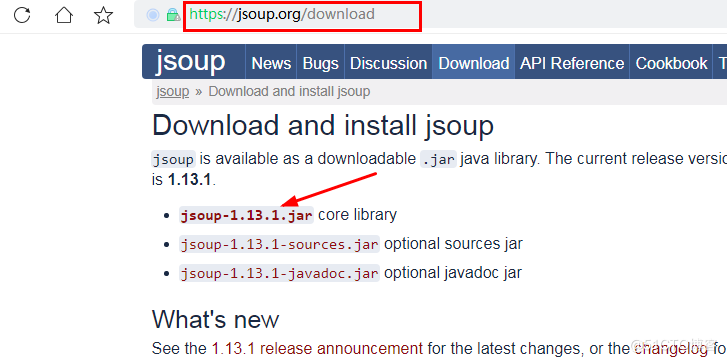
(2)、打开jsoup.org网站下载jsoup jar文件
(3)、eclipse项目中的点击项目名称,粘贴jar到项目中
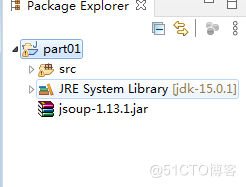
(4)、点击jsopu-1.13.1.jar文件,右键建立classpath
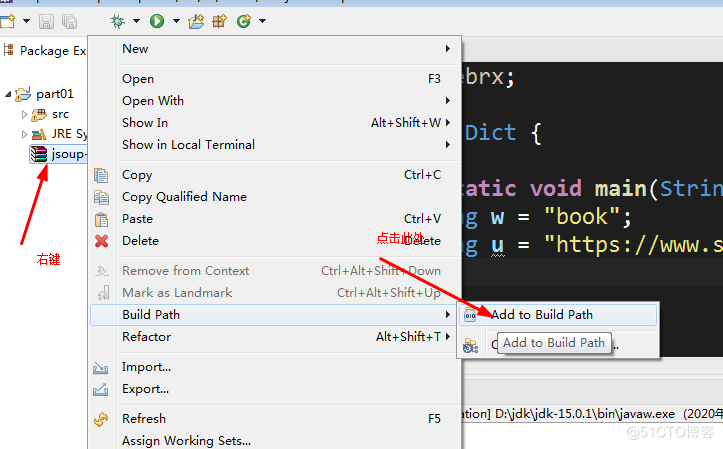
(5)、编写src/cn/webrx/Dict.java
package cn.webrx;

import java.io.IOException;

import javax.swing.JOptionPane;

import org.jsoup.Jsoup;

public class Dict {

    public static void main(String[] args) throws IOException {
        String w = JOptionPane.showInputDialog("请输入词汇:");
        String u = "http://www.youdao.com/w/eng/" + w + "/#keyfrom=dict2.index";
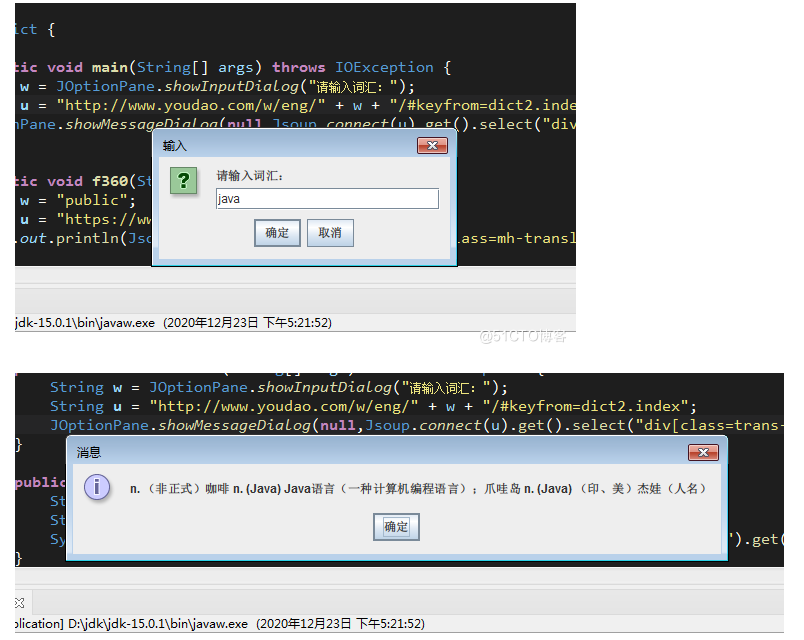
        JOptionPane.showMessageDialog(null,Jsoup.connect(u).get().select("div[class=trans-container]").get(0).text());
    }

    public static void f360(String[] args) throws IOException {
        String w = "public";
        String u = "https://www.so.com/s?q=" + w;
        System.out.println(Jsoup.connect(u).get().select("div[class=mh-translation]").get(0).text());
    }

}
package cn.webrx;

import java.io.IOException;

import javax.swing.JOptionPane;

import org.jsoup.Jsoup;

public class Dict {

    public static void main(String[] args) throws IOException {
        String w = "太阳";
        String u = "https://cn.bing.com/dict/"+w;
        System.out.println(Jsoup.connect(u).get().select("span[class=def b_regtxt]").get(0).text());
    }


    public static void baidu(String[] args) throws IOException {
        String w = "hello";
        String u = "https://www.baidu.com/s?wd="+w+"&ie=UTF-8";
        System.out.println(Jsoup.connect(u).get().select("span[class=op_dict_text2]").get(0).text());
    }

    public static void mayouda0(String[] args) throws IOException {
        String w = JOptionPane.showInputDialog("请输入词汇:");
        String u = "http://www.youdao.com/w/eng/" + w + "/#keyfrom=dict2.index";
        JOptionPane.showMessageDialog(null,Jsoup.connect(u).get().select("div[class=trans-container]").get(0).text());
    }

    public static void f360(String[] args) throws IOException {
        String w = "public";
        String u = "https://www.so.com/s?q=" + w;
        System.out.println(Jsoup.connect(u).get().select("div[class=mh-translation]").get(0).text());
    }
}
3.7 eclipse 建立javaee 项目
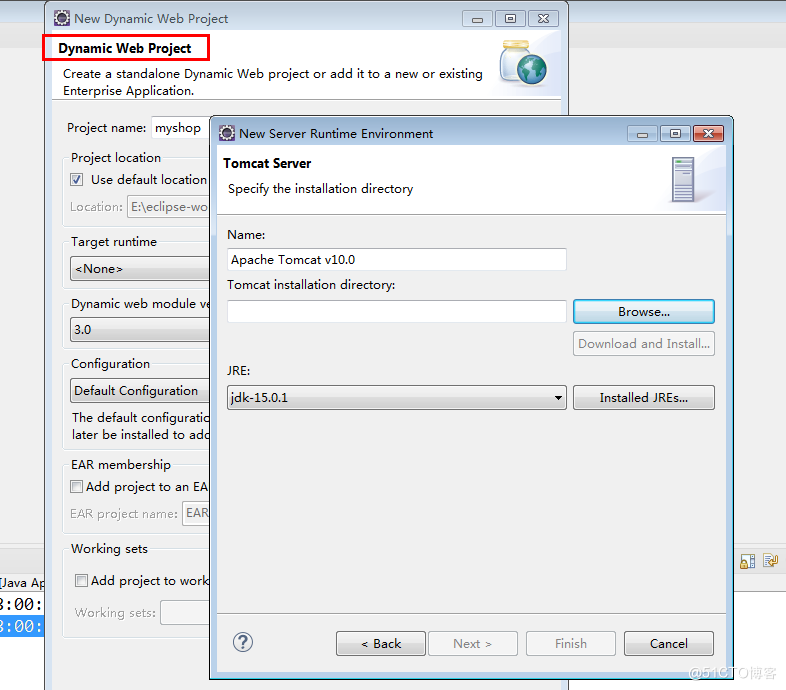
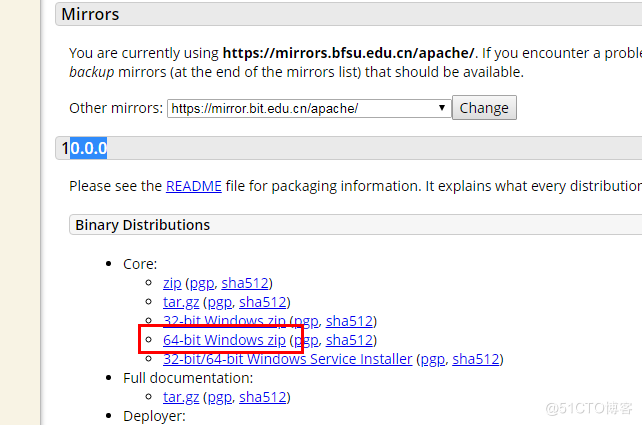
下载tomcat解压配置:
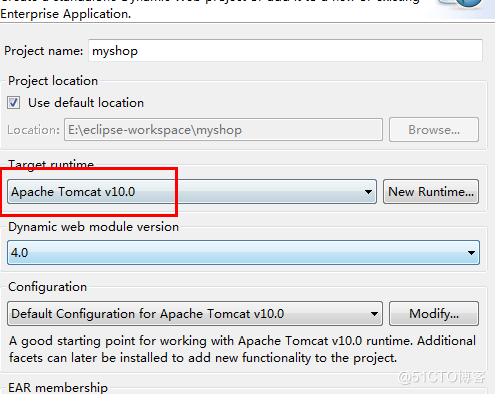
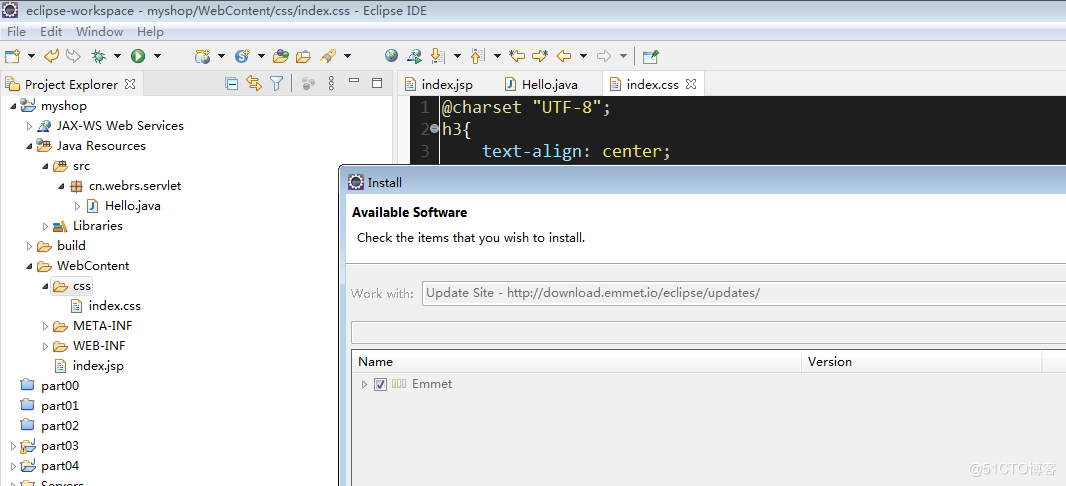
4. Intellij IDEA
4.1下载
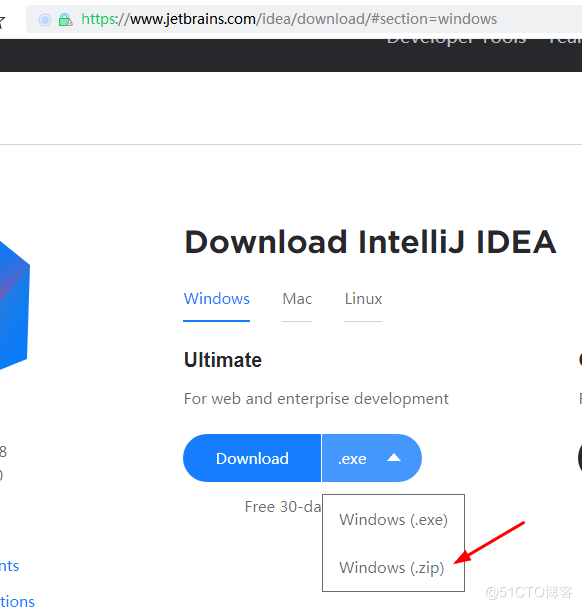

4.2解压注册
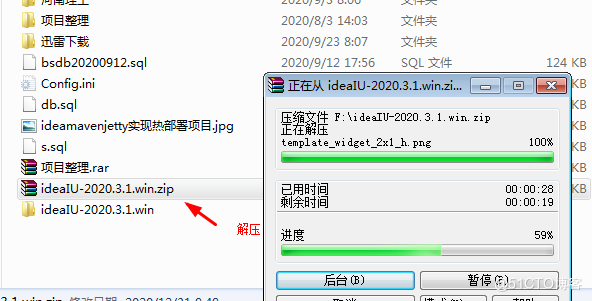
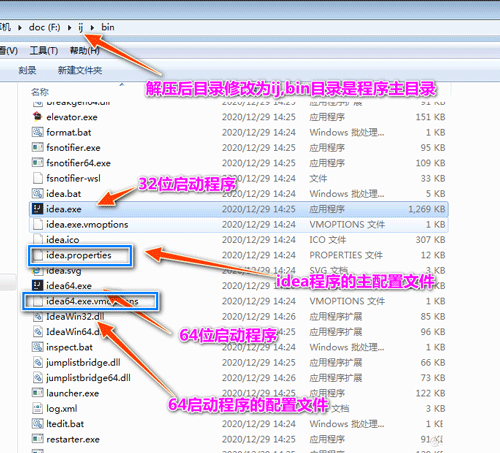
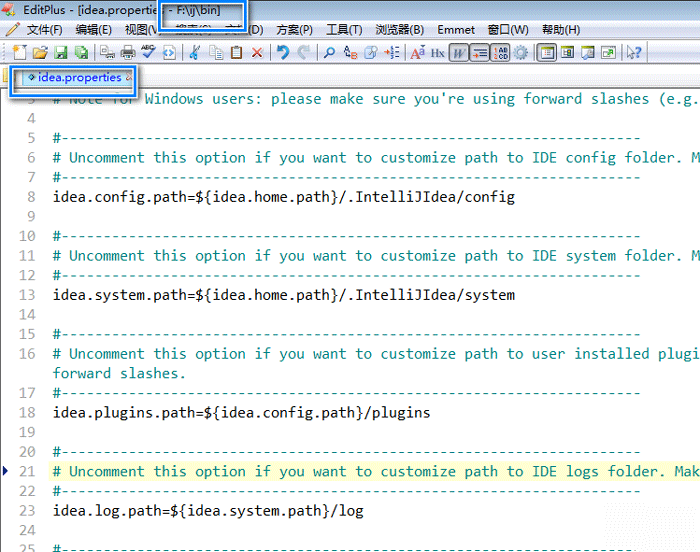
4.3配置
编辑器工具打开f:/ij/bin/idea.properties核心配置文件修改如下
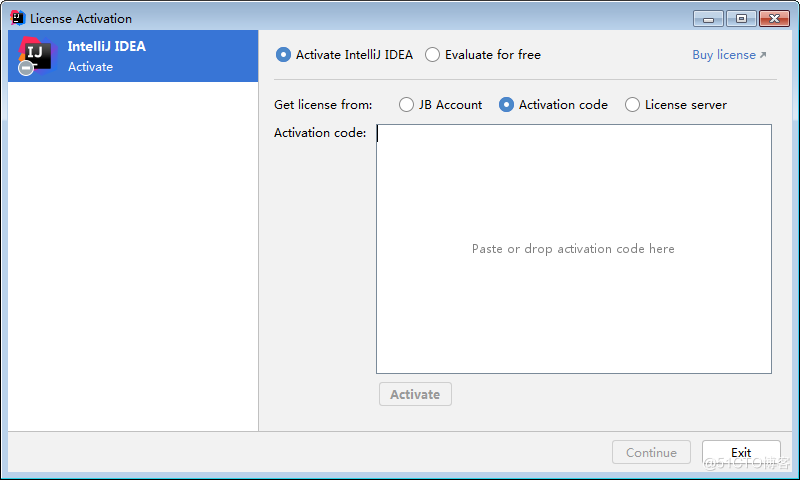
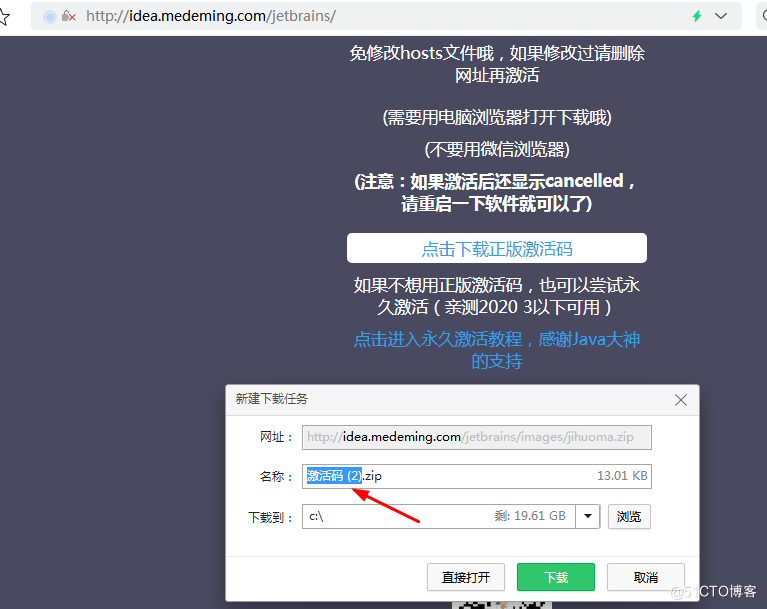
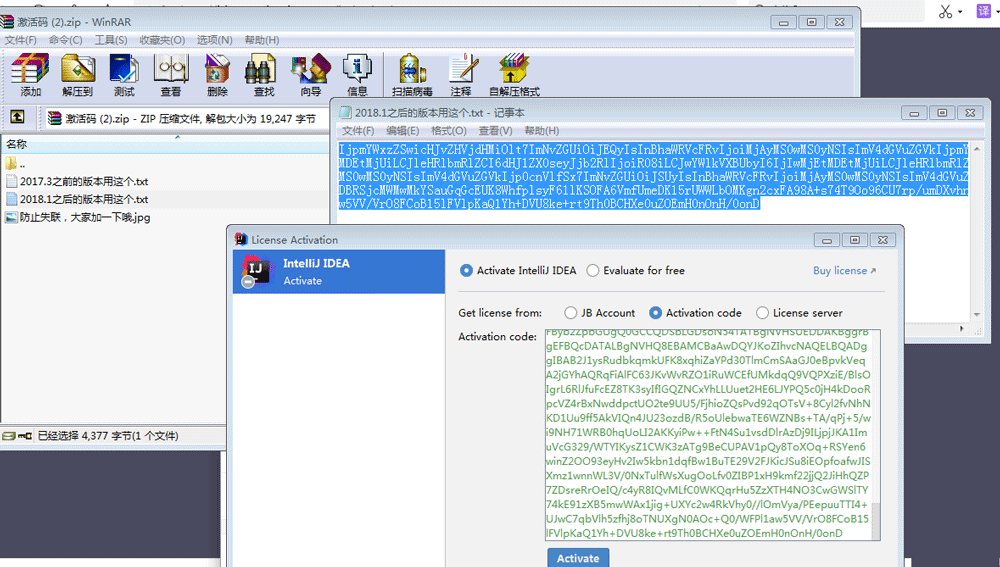
4.4启动idea并注册
http://idea.medeming.com/jet/
http://idea.medeming.com/jetbrains/
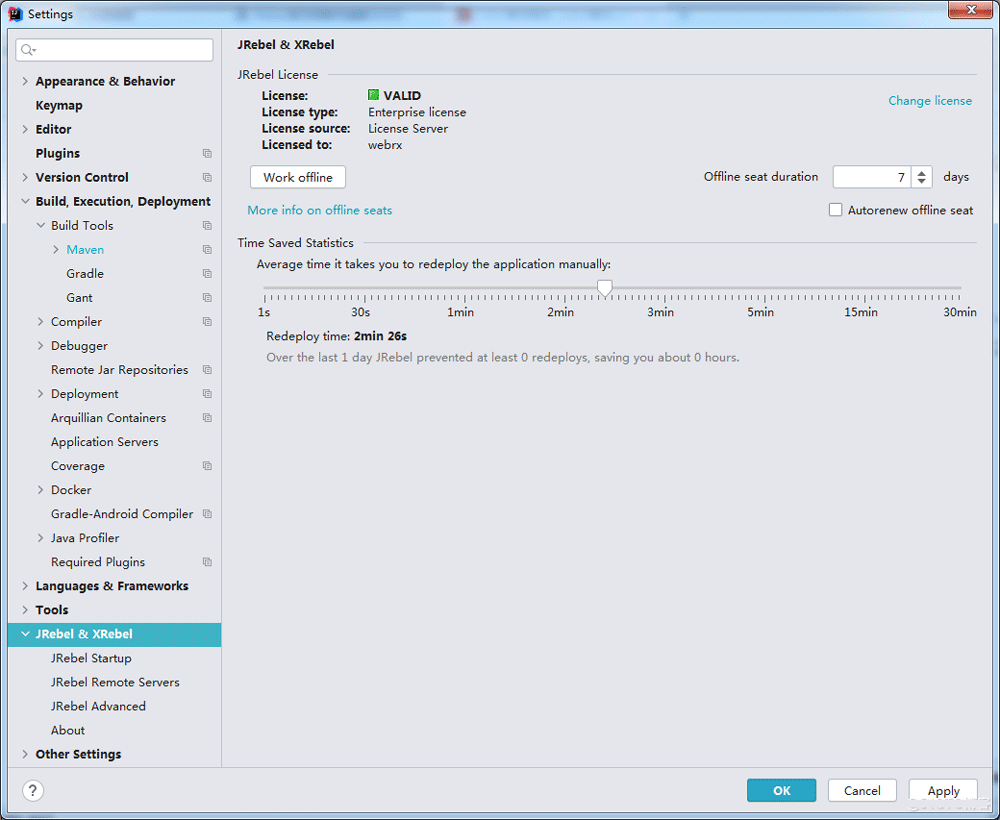
5.JRebel激活破解
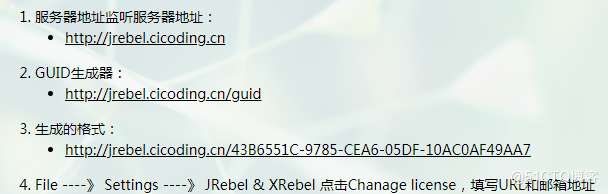
5.1服务器地址监听服务器地址
http://jrebel.cicoding.cn
http://jrebel.cicoding.cn/guid
http://jrebel.cicoding.cn/43B6551C-9785-CEA6-05DF-10AC0AF49AA7
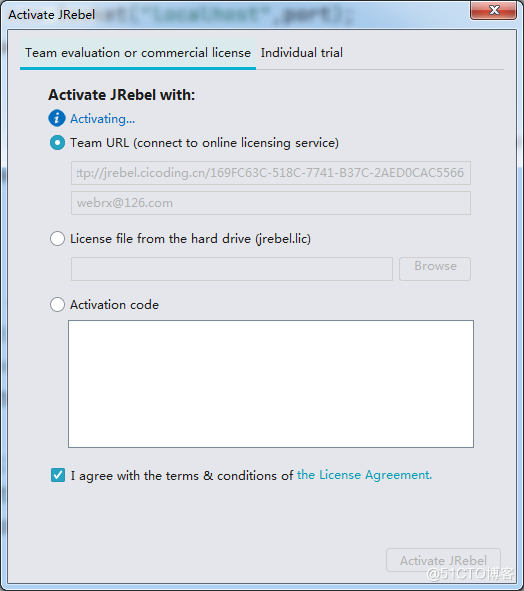
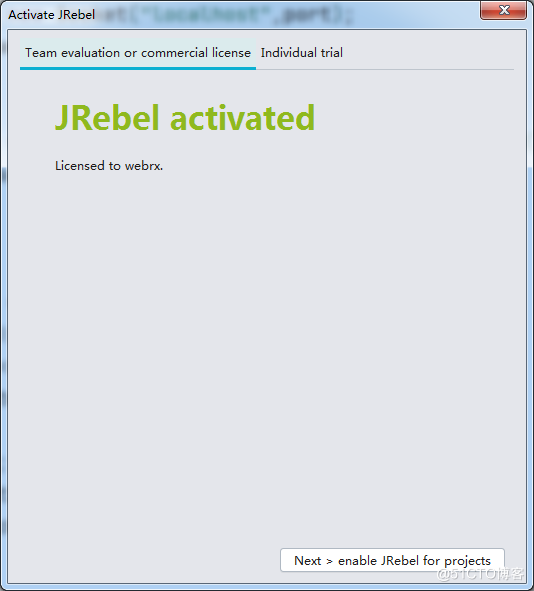
5.2注册如图




WPS Office是一款面向macOS用户的综合办公套件,将文字处理、电子表格、演示文稿、PDF工具、模板与云协作整合在同一应用中。它兼容常见Microsoft Office格式,支持Intel及Apple芯片Mac,基础功能可免费使用,

Shapr3D是一款面向工业设计、机械工程、建筑概念和三维打印工作流的CAD软件。Mac版采用Parasolid建模内核,支持草图约束、实体建模、工程图、可视化渲染及常见CAD格式交换,并可通过账户在多台设备之间同步项目。

REAPER是Cockos开发的数字音频工作站,提供多轨音频与MIDI录制、剪辑、处理、混音和母带制作工具。Mac版兼容Intel与Apple芯片,支持AU、VST、VST3、CLAP等插件格式,并提供高度可定制的工作流程。

Ableton Live 是面向音乐制作人与现场表演者的数字音频工作站,提供编曲视图、独具特色的现场视图、音频录制、MIDI创作、实时变速、乐器及效果器。Mac版原生支持Apple芯片,并可连接音频接口、MIDI控制器和第三方插件。

Adobe After Effects 是面向动态图形、影视特效与视频合成的专业创作软件。它提供关键帧动画、遮罩抠像、运动跟踪、三维空间、文字动画和表达式等工具,并可与 Premiere Pro、Photoshop、Illustrator

Adobe Audition 是面向播客、影视后期、音乐制作及内容创作者的专业音频工作站,提供波形精修、多轨录制与混音、频谱编辑、降噪修复、响度匹配和效果处理工具,并可与 Adobe Premiere 协同完成视频声音制作。

Adobe Bridge 是面向摄影师、设计师及内容团队的免费数字资产管理工具,可集中预览照片、视频和 Adobe 项目文件,并利用评级、标签、关键词、元数据、筛选与收藏集完成分类检索。它还支持批量重命名、格式导出、相机导入及 Camera

Adobe Illustrator 是 Adobe 推出的专业矢量图形设计软件,适合在 Mac 上制作标志、图标、插画、包装、信息图及印刷版面。它以路径和锚点构建可无损缩放的图形,并提供钢笔、形状、文字、图像描摹、渐变、画板及生成式功能。

Adobe InDesign 是面向印刷品与数字出版物的专业版面设计软件,可在 Mac 上制作书籍、杂志、宣传册、海报、报告及交互式文档。它提供精细的文字样式、网格、母版、长文档管理和印前输出能力。

Adobe Lightroom Classic 是面向桌面摄影工作流的照片管理与后期处理软件,可将原始照片保存在本地硬盘,通过目录、关键词、评分和收藏夹高效整理图库,并提供 RAW 冲印、蒙版、镜头校正、批量同步及多格式导出等功能。

Adobe Media Encoder 是 Adobe 推出的专业音视频编码与转码工具,可通过队列、预设和监视文件夹批量完成格式转换、代理文件创建及多平台成片输出,并与 Premiere Pro、After Effects 等软件紧密协作。

Adobe Photoshop 是面向摄影师、设计师和内容创作者的专业图像处理软件,提供图层、蒙版、选区、修复、调色、文字排版、智能对象及生成式编辑等能力。Mac 版支持 Intel 与 Apple Silicon 处理器。

Adobe Photoshop 是面向摄影师、设计师和内容创作者的专业图像处理工具,可在 Windows 上完成照片修饰、选区抠图、图层合成、文字排版、绘画及生成式编辑。软件采用订阅授权,由 Creative Cloud 管理安装、更新与许

Adobe InDesign 是面向印刷与数字出版的专业页面排版工具,可制作书籍、杂志、宣传册、海报、交互式 PDF 和电子书。它提供精细的文字样式、多页面管理、印前检查及多格式输出能力,并能与 Photoshop、Illustrator

Adobe Illustrator 是用于绘制矢量图形、插画、图标、徽标和版式的专业设计工具。它以路径和锚点为核心,作品放大后仍能保持清晰,并提供画板、文字、渐变、图像描摹及精确变换等功能,适合品牌视觉、印刷物料、数字界面和商业插画创作。

Adobe Bridge 是 Adobe 推出的创意资产管理工具,可集中预览、分类和查找照片、视频、PDF及多种设计文件,并支持元数据、关键词、评级、批量重命名和格式导出。它可与 Photoshop、Illustrator 等应用衔接,

Affinity Photo 是一款面向摄影师、修图师和视觉设计人员的桌面图像编辑工具,提供 RAW 显影、多图层合成、蒙版、实时滤镜、批处理和色彩管理等功能。原独立产品已停止销售,其照片编辑能力已延续至免费的新 Affinity 应用;

Adobe Lightroom Classic 是面向 Windows 桌面摄影工作流的照片管理与无损编辑工具,可通过目录集中整理大型图库,并完成 RAW 显影、局部蒙版、批量调整、打印和多格式导出。它强调本地文件管理与精细控制,

Figma 是面向产品设计与开发团队的云端协作平台,可在 Windows 桌面客户端中完成界面绘制、组件管理、交互原型、评论评审和开发交付。文件保存在云端,多名成员能够同步编辑并共享设计系统;官方同时提供免费 Starter 方案及按席位计

Affinity Designer 是面向矢量图形、数字插画和界面设计的专业创作工具,可在矢量、像素与导出工作区之间快速切换。它提供曲线编辑、形状构建、画板、排版、图层和专业色彩管理,并支持常见设计文件的导入及多种印刷、网页格式输出。

Capture One Pro 是面向摄影师和影像团队的专业桌面照片处理工具,提供相机定制色彩配置、RAW转换、图层与蒙版、联机拍摄、目录及会话管理等功能。它适合棚拍、人像、商业产品、婚礼和风光摄影,

Adobe Acrobat Pro 是面向专业 PDF 工作的综合解决方案,可在 Windows 中创建、编辑、转换、比较、整理和保护文档,并支持表单、电子签名、扫描件文字识别及敏感信息永久遮盖。订阅还包含网页、移动服务和云端协作能力,

Adobe After Effects 是面向动态图形、动画与影视视觉特效制作的专业工具,可完成关键帧动画、图层合成、遮罩跟踪、抠像、文字动画和二维三维元素整合。Windows 版通过 Adobe Creative Cloud 安装及更新,

DaVinci Resolve是Blackmagic Design推出的一体化影视后期工具,将素材管理、非线性剪辑、专业调色、Fusion视觉特效、Fairlight音频处理和成片交付整合在统一工程中。免费版已覆盖多数个人创作需求,