


Python NLTK:构建人工智能对话系统的利器
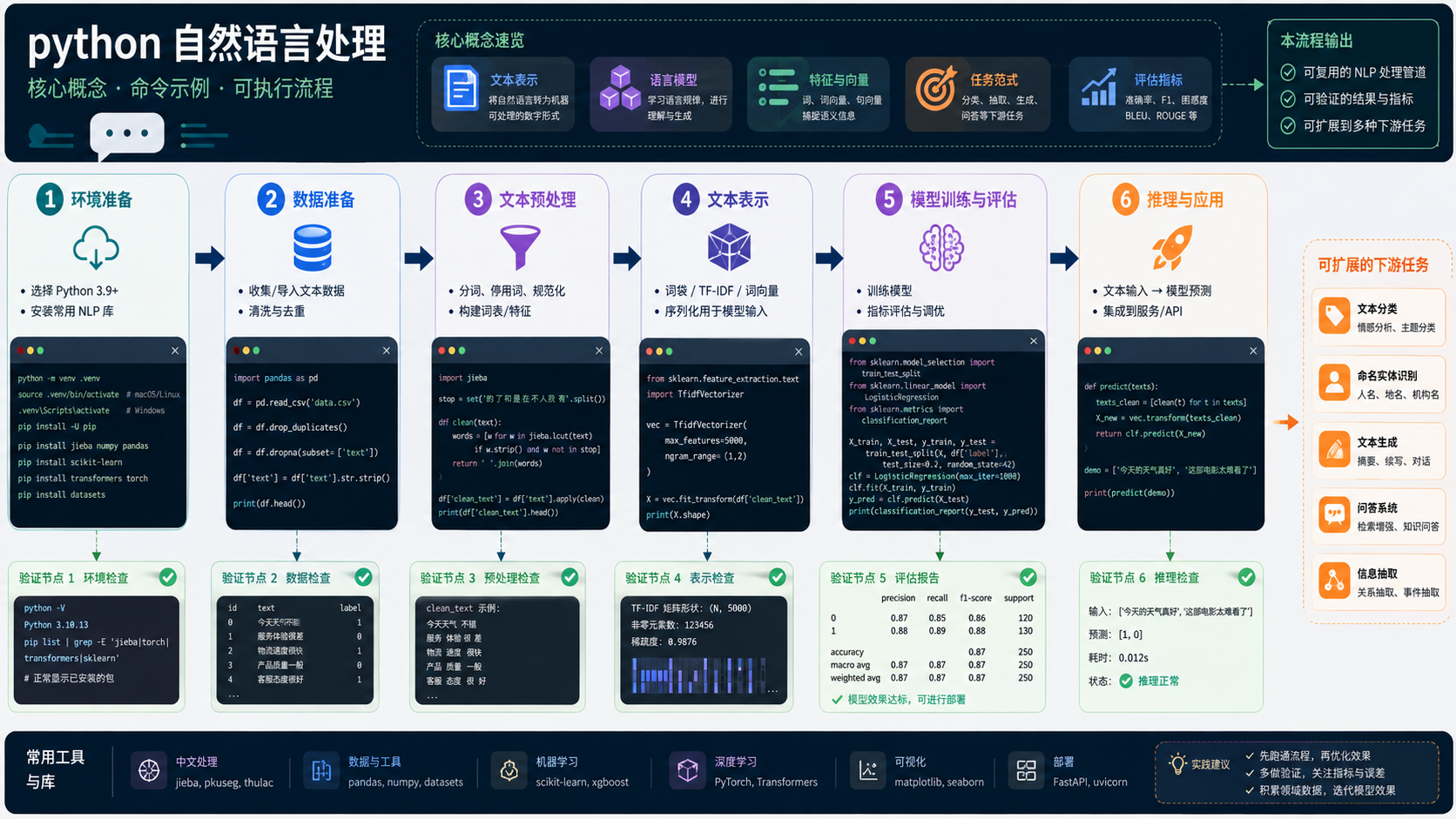
NLTK库是一个功能丰富的python库,提供了广泛的自然语言处理工具和算法,包括文本预处理、分词、词性标注、句法分析、语义分析等。使用NLTK库,我们可以轻松地完成文本数据的清洗、分析和理解任务。为了演示如何使用NLTK库构建人工智能对话系统,我们首先需要导入必要的库。importnltkfromnltk.corpusimportstopWordsfromnltk.tokenizeimportword_tokenizefromnltk.stemimportPorterStemmer接下来,我们需要对文本
NLTK库是一个功能丰富的python库,提供了广泛的自然语言处理工具和算法,包括文本预处理、分词、词性标注、句法分析、语义分析等。使用NLTK库,我们可以轻松地完成文本数据的清洗、分析和理解任务。
为了演示如何使用NLTK库构建人工智能对话系统,我们首先需要导入必要的库。
import nltk
from nltk.corpus import stopWords
from nltk.tokenize import word_tokenize
from nltk.stem import PorterStemmer
接下来,我们需要对文本数据进行预处理。这包括将文本转换为小写、去除标点符号、去除停用词和词干化等。
text = "Hello, how are you? I am doing great."
text = text.lower()
text = "".join([ch for ch in text if ch.isalnum() or ch.isspace()])
stop_words = set(stopwords.words("english"))
text = " ".join([word for word in word_tokenize(text) if word not in stop_words])
stemmer = PorterStemmer()
text = " ".join([stemmer.stem(word) for word in word_tokenize(text)])
预处理完成后,我们可以使用NLTK库提供的分类器来训练对话系统。这里,我们将使用朴素贝叶斯分类器。
from nltk.classify import NaiveBayesClassifier
from nltk.corpus import movie_reviews

classified_reviews = [(cateGory, text) for category in movie_reviews.categories()
for fileid in movie_reviews.fileids(category)
for text in movie_reviews.words(fileid)]
feature_extractor = lambda review: {word: True for word in review if word in feature_set}
feature_set = set([word for (category, review) in classified_reviews
 for word in review if word not in stop_words])
train_set, test_set = classified_reviews[50:], classified_reviews[:50]
classifier = NaiveBayesClassifier.train(train_set, feature_extractor)
训练完成后,我们可以使用对话系统来回答用户的问题。
user_input = "I am looking for a good movie to watch."
features = feature_extractor(user_input)
category = classifier.classify(features)
print(category)
通过上述代码,我们可以实现一个简单的人工智能对话系统。该对话系统可以回答用户的问题,并给出相应的回复。
NLTK库是一个强大的自然语言处理库,可以帮助我们轻松地完成文本数据的清洗、分析和理解任务。通过本文的介绍,希望读者能够对NLTK库有一个初步的了解,并能够利用NLTK库构建出更加复杂的人工智能对话系统。















火山引擎是字节跳动旗下企业级云与AI服务平台。聚焦大模型核心能力,依托字节自研豆包多模态大模型,凭借火山方舟一站式平台,提供模型精调、推理部署、智能应用搭建等全链路服务,结合高性能AI算力,助力各行业快速落地大模型数字化与智能化应用。








AirBuddy 3 是面向 macOS 的蓝牙外设增强工具,可集中查看 AirPods、Beats 与苹果设备电量,提供快速连接、播放控制、电量提醒、桌面小组件和多台 Mac 外设接力等功能。

AirServer macOS版可把 Mac 转换为无线投屏接收端,通过 AirPlay 或 Google Cast 接收手机、平板和电脑画面,并支持多设备同时连接、高清镜像及会话录制,适合家庭娱乐、课堂教学、会议演示和应用展示。



Autodesk Maya 是面向影视、电视、动画和游戏行业的专业三维制作软件,集多边形与 NURBS 建模、角色绑定、关键帧和动作捕捉动画、Bifrost 特效模拟、材质开发及 Arnold 渲染于一体,

AirServer Windows版可把电脑变成AirPlay、Google Cast和Miracast无线投屏接收端,适合会议演示、课堂教学及家庭大屏分享。发送设备通常无需另装客户端,并可同时接收和智能排列多个镜像会话。