


如何访问嵌套 JSON 深层字段
本文详解Python中读取JSON文件后访问多层嵌套键(如json_map['epapconfig']['Display']['suffix'])时出现'int'objectisnotsubscriptable错误的成因与解决方案,涵盖加载、验证、安全访问全流程。

本文详解 Python 中读取 JSON 文件后访问多层嵌套键(如 json_map['epapconfig']['Display']['suffix'])时出现 'int' object is not subscriptable 错误的成因与解决方案,涵盖加载、验证、安全访问全流程。
本文详解 Python 中读取 JSON 文件后访问多层嵌套键(如 `json_map['epapconfig']['Display']['suffix']`)时出现 `'int' object is not subscriptable` 错误的成因与解决方案,涵盖加载、验证、安全访问全流程。
在 Python 中解析 JSON 数据后无法访问嵌套字段(例如 json_map['epapconfig']['Display']['suffix']),并报错 TypeError: 'int' object is not subscriptable,根本原因通常不是 JSON 结构本身有问题,而是变量被意外覆写为整数类型——最常见的情况是:你曾用 json_map = 0、json_map = 1 或类似语句重定义了该变量,导致后续尝试用方括号索引时实际操作的是一个整数。
以下是一个完整、健壮的访问示例:
import json

# ✅ 正确方式:从字符串或文件加载 JSON
json_str = '''{
    "epapconfig": {
        "suffix": "Enter Choice: ",
        "Display": {
            "suffix": "Press return to continue..."
        },
        "Security": {
            "suffix": "Enter Choice: ",
            "Timeout": {
                "suffix": "Enter Choice: ",
                "Display": {
                    "suffix": "Press return to continue..."
                }
            }
        }
    },
    "epapdev": {"suffix": "]$ "},
    "su": {"suffix": "Password: "},
    "root": {"suffix": "]# "}
}'''

# 加载为字典
json_map = json.loads(json_str)

# 安全访问嵌套字段(推荐)
try:
    suffix = json_map['epapconfig']['Display']['suffix']
    print("Display suffix:", suffix)  # 输出:Press return to continue...
except KeyError as e:
    print(f"缺失必要键: {e}")
except TypeError as e:
    print(f"类型错误 —— 可能 json_map 不是字典: {e}")
⚠️ 关键注意事项:
- 切勿使用 dict 作为变量名(如 dict = {...}),它会覆盖内置 dict 类型,引发隐性问题;应使用 config, data, json_map 等语义化名称。
- 检查变量类型:在访问前添加 print(type(json_map)) 和 print(json_map.keys()),确认其为 dict 且包含预期键。
- 防御性编程:对不确定存在的嵌套层级,建议使用 .get() 链式调用或 jsonpath-ng 库,例如:
suffix = (json_map
          .get('epapconfig', {})
          .get('Display', {})
          .get('suffix', 'DEFAULT_SUFFIX'))
✅ 总结:该错误几乎总是源于变量类型被意外篡改(如赋值为 int),而非 JSON 格式问题。务必确保 json_map 始终为 dict 类型,并通过 isinstance(json_map, dict) 进行校验,再进行嵌套访问。




Adobe Acrobat Pro 是面向办公、法务、财务、教育及出版用户的专业PDF处理软件,可在Mac上创建、编辑、转换、合并和保护文档,并提供OCR文字识别、表单、批注、内容比较、敏感信息遮盖及电子签名功能。

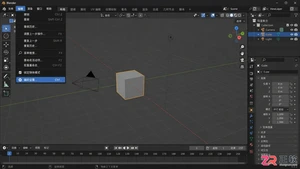
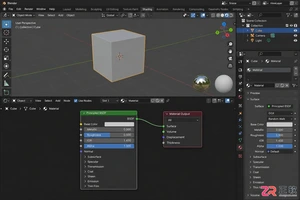
Blender 是一款免费开源、跨平台的专业 3D 创作软件,集建模、动画、渲染、视频编辑与视觉合成等功能于一体,广泛应用于影视动画、游戏设计和建筑可视化等领域。软件支持 Cycles 物理渲染器与 Eevee 实时渲染引擎,并提供多边形建模、骨骼绑定、物理模拟等专业工具。Blender 兼容 Windows、macOS 和 Linux 系统,安装包轻巧、运行流畅,依托活跃的全球开发者社区持续更新,是从初学者到专业创作者都值得选择的正版 3D 创作工具。
Shapr3D是一款面向工业设计、机械工程、建筑概念和三维打印工作流的CAD软件。Mac版采用Parasolid建模内核,支持草图约束、实体建模、工程图、可视化渲染及常见CAD格式交换,并可通过账户在多台设备之间同步项目。

Adobe Illustrator 是 Adobe 推出的专业矢量图形设计软件,适合在 Mac 上制作标志、图标、插画、包装、信息图及印刷版面。它以路径和锚点构建可无损缩放的图形,并提供钢笔、形状、文字、图像描摹、渐变、画板及生成式功能。

Adobe InDesign 是面向印刷品与数字出版物的专业版面设计软件,可在 Mac 上制作书籍、杂志、宣传册、海报、报告及交互式文档。它提供精细的文字样式、网格、母版、长文档管理和印前输出能力。

Affinity Designer 的矢量设计能力现已整合进 Affinity by Canva,可在 Mac 上进行标志、图标、插画、界面原型及印刷品设计。个人用户使用免费 Canva 账户即可使用完整的矢量、像素和版面工具。

Archicad是Graphisoft推出的建筑信息模型设计软件,可在Mac上完成概念设计、参数化建模、图纸编制、工程量统计、渲染展示及团队协同。模型与平立剖面、明细表和布局保持关联,适合建筑师、室内设计师、BIM团队及相关专业学生使用。
AutoCAD LT是Autodesk推出的专业二维CAD设计与文档编制软件,Mac版本提供原生界面、多点触控及分屏查看体验。用户可精确创建和编辑DWG图形,完成图层管理、尺寸标注、表格、PDF参考、外部参照及打印输出。

AutoCAD for Mac 是 Autodesk 面向 macOS 提供的专业计算机辅助设计软件,支持精确的二维绘图、标注、布局输出以及实体、曲面和网格建模。软件采用适配 Mac 操作习惯的界面,可处理 DWG 图纸。
Autodesk Fusion 是面向产品设计与制造的一体化云连接平台,在 Mac 上提供参数化建模、自由曲面、装配、工程图、仿真、PCB 设计和 CAM 加工等工具。它适合机械工程师、工业设计师、创客及制造团队使用。
Autodesk Maya是一套面向影视动画、游戏开发和视觉特效制作的专业三维创作软件,集多边形与曲面建模、角色绑定、关键帧动画、动力学模拟、程序化特效及Arnold渲染于一体,并提供脚本、插件和开放式制作管线支持。

Blender是一款免费开源的综合三维创作软件,可在Mac上完成建模、数字雕刻、材质制作、角色绑定、动画、物理模拟、渲染、合成及视频剪辑。软件提供Cycles与Eevee渲染工具,并支持几何节点、蜡笔绘制和Python扩展。

AutoCAD 是 Autodesk 推出的专业计算机辅助设计软件,Windows 版支持精确二维绘图、三维实体与曲面建模、图纸标注、布局发布和任务自动化,并包含多套行业专业化工具组合,适用于建筑、机械、电气、工程建设及制造设计人员。

Adobe Acrobat Pro 是面向专业 PDF 工作的综合解决方案,可在 Windows 中创建、编辑、转换、比较、整理和保护文档,并支持表单、电子签名、扫描件文字识别及敏感信息永久遮盖。订阅还包含网页、移动服务和云端协作能力,
Blender 是一款免费开源、跨平台的专业 3D 创作软件,集建模、动画、渲染、视频编辑与视觉合成等功能于一体,广泛应用于影视动画、游戏设计和建筑可视化等领域。软件支持 Cycles 物理渲染器与 Eevee 实时渲染引擎,并提供多边形建模、骨骼绑定、物理模拟等专业工具。Blender 兼容 Windows、macOS 和 Linux 系统,安装包轻巧、运行流畅,依托活跃的全球开发者社区持续更新,是从初学者到专业创作者都值得选择的正版 3D 创作工具。


Adobe InDesign 是面向印刷与数字出版的专业页面排版工具,可制作书籍、杂志、宣传册、海报、交互式 PDF 和电子书。它提供精细的文字样式、多页面管理、印前检查及多格式输出能力,并能与 Photoshop、Illustrator

Adobe Illustrator 是用于绘制矢量图形、插画、图标、徽标和版式的专业设计工具。它以路径和锚点为核心,作品放大后仍能保持清晰,并提供画板、文字、渐变、图像描摹及精确变换等功能,适合品牌视觉、印刷物料、数字界面和商业插画创作。

Figma 是面向产品设计与开发团队的云端协作平台,可在 Windows 桌面客户端中完成界面绘制、组件管理、交互原型、评论评审和开发交付。文件保存在云端,多名成员能够同步编辑并共享设计系统;官方同时提供免费 Starter 方案及按席位计

Affinity Designer 是面向矢量图形、数字插画和界面设计的专业创作工具,可在矢量、像素与导出工作区之间快速切换。它提供曲线编辑、形状构建、画板、排版、图层和专业色彩管理,并支持常见设计文件的导入及多种印刷、网页格式输出。

Cinema 4D是Maxon推出的专业三维创作软件,将建模、动画、MoGraph动态图形、粒子与动力学模拟、材质灯光及Redshift渲染整合在统一工作环境中,适用于广告包装、影视特效、产品和建筑可视化、游戏素材等制作场景。

Blender 是免费开源的三维创作套件,在 Windows 上提供建模、雕刻、材质、动画、物理模拟、合成、跟踪、视频剪辑及 Cycles、EEVEE 渲染工具。它适合个人创作者、学生和小型工作室,

Autodesk Maya 是面向影视、电视、动画和游戏行业的专业三维制作软件,集多边形与 NURBS 建模、角色绑定、关键帧和动作捕捉动画、Bifrost 特效模拟、材质开发及 Arnold 渲染于一体,

SketchUp Pro 是面向建筑、室内、景观、施工和产品设计等专业场景的三维建模工具,提供桌面建模、LayOut 二维文档、模型资源库、扩展程序及云端协作能力。其操作逻辑直观,适合从概念推敲、空间规划到图纸表达和方案汇报的完整工作流程。