


Java中解决JEditorPane输入回车时的背景音问题
Thistutorialaddressesanissuewherea"WindowsBackgroundSound"(systembeep)istriggeredwhenpressingtheEnterkeywithinaJavaSwingJEditorPane,particularlywhenthepaneissettonon-editablemode.ThesolutioninvolvesremovingthedefaultActionassociatedwiththeEnterkey,prevent
The "Windows Background Sound" issue in Java Swing's JEditorPane when pressing Enter, especially in non-editable mode, can be disruptive. This tutorial provides a clear solution by explaining how to remove the default Action associated with the Enter key, thus silencing the unwanted sound. The provided code demonstrates how to implement this fix while retaining the ability to capture and process Enter key presses using a KeyListener.
The core of the problem lies in the default behavior of JEditorPane. It automatically associates keyboard key combinations with specific actions. In the case of the Enter key, when a JEditorPane is not editable, pressing Enter triggers a system beep through the StyledInsertBreakAction.
Removing the Default Action
The most straightforward solution is to remove the Action associated with the Enter key. This can be achieved using the following code:
htmlLabel.getInputMap().put(KeyStroke.getKeyStroke("pressed ENTER"), "none");This line of code retrieves the InputMap of the JEditorPane, which maps KeyStroke objects to action names. By associating the "pressed ENTER" KeyStroke with the action name "none", we effectively remove the default action.
Complete Code Example
Here's a complete example demonstrating the implementation:
import java.awt.Color;
import java.awt.Dimension;
import java.awt.Font;
import java.awt.event.KeyEvent;
import java.awt.event.KeyListener;

import javax.swing.JEditorPane;
import javax.swing.JFrame;
import javax.swing.KeyStroke;

public class App {

    public static void main(String[] args) {
        Dimension frameDimension = new Dimension(600, 400);
        JFrame frame = new JFrame();
        frame.setDefaultCloseOperation(JFrame.EXIT_ON_CLOSE);
        frame.setMinimumSize(frameDimension);
        frame.setSize(frameDimension);
        frame.setBackground(Color.white);

        // Create HTML Editor Pane
        JEditorPane htmlLabel = new JEditorPane("text/html", "");
        htmlLabel.getInputMap().put(KeyStroke.getKeyStroke("pressed ENTER"), "none");
        htmlLabel.setEditable(false);
        htmlLabel.setBackground(Color.WHITE);
        htmlLabel.setFont(new Font(htmlLabel.getName(), Font.PLAIN, 14));
        htmlLabel.setVisible(true);

        // IF I KEEP THIS LINE,
        // I will hear a "Windows Notification Sound"
        // whenever I press ENTER
        frame.add(htmlLabel);
        // I don't want the sound but I want this pane

        htmlLabel.addKeyListener(new KeyListener() {
            @Override
            public void keyTyped(KeyEvent e) {

            }

            @Override
            public void keyPressed(KeyEvent e) {
                // If Enter is pressed
                if (e.getKeyCode() == 10) {
                    // DO STUFF
                    System.out.println("ENTER");
                }
            }

            @Override
            public void keyReleased(KeyEvent e) {

            }
        });
        frame.setResizable(false);
        frame.setVisible(true);
    }
}
In this example, the line htmlLabel.getInputMap().put(KeyStroke.getKeyStroke("pressed ENTER"), "none"); is crucial. It prevents the default Action from being triggered when Enter is pressed, thus eliminating the unwanted sound. The KeyListener is still functional, allowing you to handle Enter key presses as needed within your application logic.
Alternative Approach: Replacing the Default Action (Advanced)
While removing the default action is the simplest solution, you could also replace it with a custom Action. This allows you to define your own behavior when Enter is pressed. However, this approach is more complex and typically unnecessary for simply silencing the beep.
Important Considerations
- KeyListener Functionality: Removing the default Action does not disable your KeyListener. You can still detect and respond to Enter key presses within your keyPressed method.
- Editable State: The issue primarily occurs when the JEditorPane is not editable. If the pane is editable, the default action is typically to insert a newline character.
- Java Version: This solution is applicable to Java versions 1.8 and later.
- Key Bindings: Understanding key bindings in Swing is crucial for customizing keyboard behavior. Refer to the official Java documentation on How to Use Key Bindings for more information.
Conclusion
By removing the default Action associated with the Enter key in a non-editable JEditorPane, you can effectively eliminate the unwanted "Windows Background Sound" without sacrificing the ability to handle Enter key presses programmatically. This approach provides a clean and efficient solution to a common Swing issue. Remember to consult the Java documentation for further details on JEditorPane and key bindings.






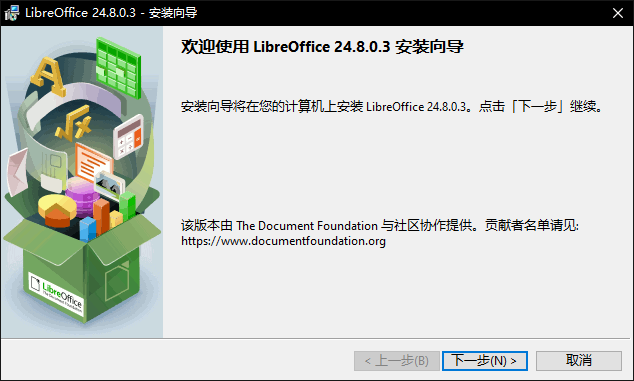







LibreOffice桌面版提供Writer、Calc、Impress等办公组件,可本地处理文档并交换Office格式。了解实际功能、商用许可、兼容性检查和企业支持的区别。




火山引擎是字节跳动旗下企业级云与AI服务平台。聚焦大模型核心能力,依托字节自研豆包多模态大模型,凭借火山方舟一站式平台,提供模型精调、推理部署、智能应用搭建等全链路服务,结合高性能AI算力,助力各行业快速落地大模型数字化与智能化应用。







LibreOffice桌面版提供Writer、Calc、Impress等办公组件,可本地处理文档并交换Office格式。了解实际功能、商用许可、兼容性检查和企业支持的区别。
火山引擎是字节跳动旗下企业级云与AI服务平台。聚焦大模型核心能力,依托字节自研豆包多模态大模型,凭借火山方舟一站式平台,提供模型精调、推理部署、智能应用搭建等全链路服务,结合高性能AI算力,助力各行业快速落地大模型数字化与智能化应用。

PixTV 是一款在浏览器中使用的 AI 视觉内容创作平台,提供图片、视频、音频、文字生成、AI 分镜、局部重绘、提示词反推和无限画布等工具,适合短剧、漫剧、广告及社交媒体内容制作。


Autodesk Maya 是面向影视、电视、动画和游戏行业的专业三维制作软件,集多边形与 NURBS 建模、角色绑定、关键帧和动作捕捉动画、Bifrost 特效模拟、材质开发及 Arnold 渲染于一体,