


SpringBoot项目中如何利用application.yml文件配置数据库密码加密
使用@SpringBootApplication注解启动的项目,只需增加maven依赖我们对信息加解密是使用这个jar包的:编写加解密测试类:packagecn.linjk.ehome;importorg.jasypt.encryption.pbe.StandardPBEStringEncryptor;importorg.jasypt.encryption.pbe.config.EnvironmentPBEConfig;importorg.junit.Test;publicclassJasyptTest{
使用@SpringBootApplication注解启动的项目,只需增加maven依赖
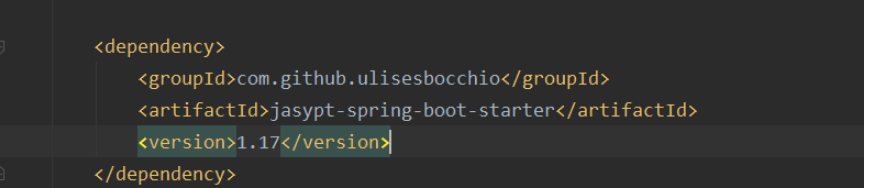
我们对信息加解密是使用这个jar包的:
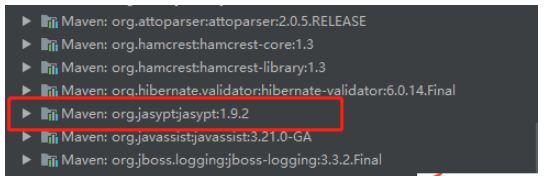
编写加解密测试类:
package cn.linjk.ehome;

import org.jasypt.encryption.pbe.StandardPBEStringEncryptor;
import org.jasypt.encryption.pbe.config.EnvironmentPBEConfig;
import org.junit.Test;

public class JasyptTest {
  @Test
  public void testEncrypt() throws Exception {
    StandardPBEStringEncryptor standardPBEStringEncryptor = new StandardPBEStringEncryptor();
    EnvironmentPBEConfig config = new EnvironmentPBEConfig();

    config.setAlgorithm("PBEWithMD5AndDES");     // 加密的算法,这个算法是默认的
    config.setPassword("test");            // 加密的密钥
    standardPBEStringEncryptor.setConfig(config);
    String plainText = "88888888";
    String encryptedText = standardPBEStringEncryptor.encrypt(plainText);
    System.out.println(encryptedText);
  }

  @Test
  public void testDe() throws Exception {
    StandardPBEStringEncryptor standardPBEStringEncryptor = new StandardPBEStringEncryptor();
    EnvironmentPBEConfig config = new EnvironmentPBEConfig();

    config.setAlgorithm("PBEWithMD5AndDES");
    config.setPassword("test");
    standardPBEStringEncryptor.setConfig(config);
    String encryptedText = "ip10XNIEfAMTGQLdqt87XnLRsshu0rf0";
    String plainText = standardPBEStringEncryptor.decrypt(encryptedText);
    System.out.println(plainText);
  }
}
加密串拿到了,现在来修改application.yml的配置:
我们把加密串放在ENC({加密串})即可。
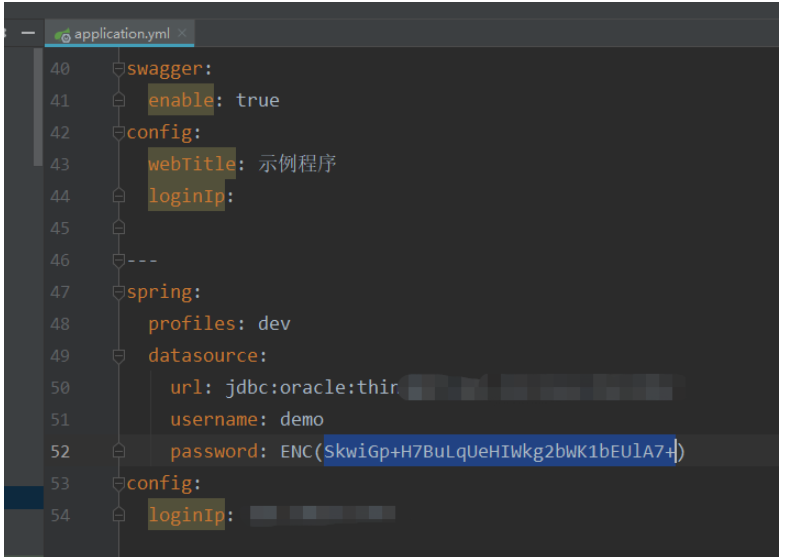
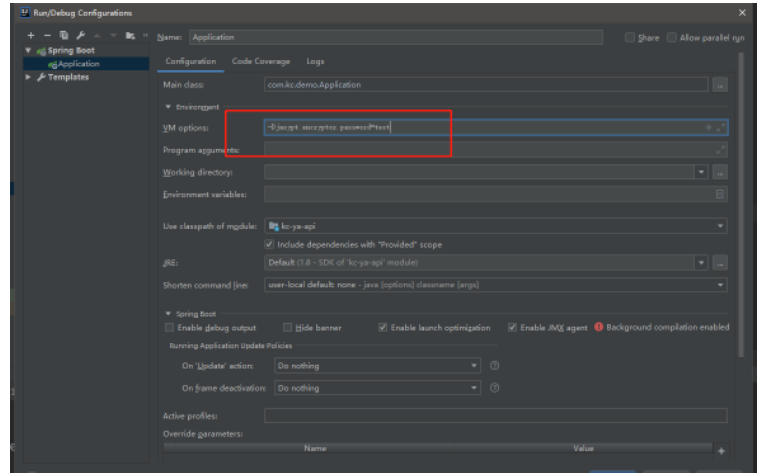
启动时需要配置 秘钥
将秘钥加入启动参数











火山引擎是字节跳动旗下企业级云与AI服务平台。聚焦大模型核心能力,依托字节自研豆包多模态大模型,凭借火山方舟一站式平台,提供模型精调、推理部署、智能应用搭建等全链路服务,结合高性能AI算力,助力各行业快速落地大模型数字化与智能化应用。








AirBuddy 3 是面向 macOS 的蓝牙外设增强工具,可集中查看 AirPods、Beats 与苹果设备电量,提供快速连接、播放控制、电量提醒、桌面小组件和多台 Mac 外设接力等功能。

AirServer macOS版可把 Mac 转换为无线投屏接收端,通过 AirPlay 或 Google Cast 接收手机、平板和电脑画面,并支持多设备同时连接、高清镜像及会话录制,适合家庭娱乐、课堂教学、会议演示和应用展示。

火山引擎是字节跳动旗下企业级云与AI服务平台。聚焦大模型核心能力,依托字节自研豆包多模态大模型,凭借火山方舟一站式平台,提供模型精调、推理部署、智能应用搭建等全链路服务,结合高性能AI算力,助力各行业快速落地大模型数字化与智能化应用。

PixTV 是一款在浏览器中使用的 AI 视觉内容创作平台,提供图片、视频、音频、文字生成、AI 分镜、局部重绘、提示词反推和无限画布等工具,适合短剧、漫剧、广告及社交媒体内容制作。


Autodesk Maya 是面向影视、电视、动画和游戏行业的专业三维制作软件,集多边形与 NURBS 建模、角色绑定、关键帧和动作捕捉动画、Bifrost 特效模拟、材质开发及 Arnold 渲染于一体,