


Go 中循环追加字节切片方法
在Go中使用append合并多个[]byte时,必须使用展开操作符...,否则会因类型不匹配([]byte不能直接作为byte参数)而编译失败。
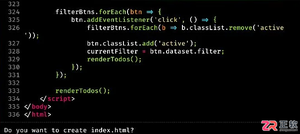
![Go 中如何在循环中正确追加字节切片([]byte)](http://publicdata.com/uploads/20260408/177565902669d668126d248.jpg)
在 Go 中使用 append 合并多个 []byte 时,必须使用展开操作符 ...,否则会因类型不匹配([]byte 不能直接作为 byte 参数)而编译失败。
在 Go 中使用 `append` 合并多个 `[]byte` 时,必须使用展开操作符 `...`,否则会因类型不匹配(`[]byte` 不能直接作为 `byte` 参数)而编译失败。
当你在循环中逐行读取文件并希望将除首行外的所有内容累积到一个 []byte 切片中时,关键在于理解 append 的签名:
func append(slice []T, elems ...T) []T
其中 elems ...T 表示可变数量的单个元素(如 byte),而非另一个切片。因此,若你有 line []byte,直接写 append(content, line) 会导致编译错误:cannot use line (type []byte) as type byte in append。
✅ 正确做法是使用 展开语法(spread operator):
content = append(content, line...)
line... 将 []byte 中的每个字节作为独立参数传入,完美匹配 append 的期望类型。
以下是修正后的完整示例(含健壮性优化):
var title, category string
var content []byte

in, err := os.Open(file)
if err != nil {
    log.Fatal("could not open file: ", file, ": ", err)
}
defer in.Close()

scanner := bufio.NewScanner(in)
lineCount := 0
for scanner.Scan() {
    lineCount++
    if lineCount == 1 {
        // 解析首行:格式为 "title::category"
        parts := strings.SplitN(scanner.Text(), "::", 2)
        if len(parts) < 2 {
            log.Fatal("invalid first line format (expected 'title::category')")
        }
        title, category = strings.TrimSpace(parts[0]), strings.TrimSpace(parts[1])
    } else {
        // 追加后续每一行的原始字节(含换行符)
        // 注意:scanner.Bytes() 返回的是当前扫描行的底层字节切片,
        // 其生命周期仅在下次 Scan() 调用前有效 —— 因此需立即拷贝或使用 Bytes()
        // 更安全的做法(推荐):
        line := append([]byte(nil), scanner.Bytes()...) // 深拷贝避免复用底层缓冲
        content = append(content, line...)
        // 或者更简洁地(等效):
        // content = append(content, scanner.Bytes()...)
        // 但注意:若后续 scanner 继续调用,scanner.Bytes() 可能被覆盖 → 仅当确定不再调用 Scan() 时才安全
    }
}

if err := scanner.Err(); err != nil {
    log.Fatal("scan error: ", err)
}
⚠️ 重要注意事项:
- scanner.Bytes() 返回的是 bufio.Scanner 内部缓冲区的引用,不是独立副本。若你在循环中缓存其返回值(如 line := scanner.Bytes())并在之后多次使用,可能读到被覆盖的数据。因此,在 append(content, scanner.Bytes()...) 中直接展开是安全的(因为 append 立即复制字节),但若需后续单独处理某一行,请显式拷贝:lineCopy := append([]byte(nil), scanner.Bytes()...)。
- 若需保留行间换行符(如 \n),scanner.Bytes() 已包含(scanner.Text() 会去掉);若需统一换行格式,建议在追加后手动添加 content = append(content, '\n')。
- 对于大文件,频繁 append 可能触发多次底层数组扩容。如性能敏感,可预先估算容量:content := make([]byte, 0, estimatedSize)。
总结:append(dst, src...) 是 Go 中拼接字节切片的标准、高效方式,核心在于牢记 ... 展开符——它将切片“解包”为独立元素,使类型匹配,这是 Go 切片操作的基础惯用法。









火山引擎是字节跳动旗下企业级云与AI服务平台。聚焦大模型核心能力,依托字节自研豆包多模态大模型,凭借火山方舟一站式平台,提供模型精调、推理部署、智能应用搭建等全链路服务,结合高性能AI算力,助力各行业快速落地大模型数字化与智能化应用。







AirBuddy 3 是面向 macOS 的蓝牙外设增强工具,可集中查看 AirPods、Beats 与苹果设备电量,提供快速连接、播放控制、电量提醒、桌面小组件和多台 Mac 外设接力等功能。

AirServer macOS版可把 Mac 转换为无线投屏接收端,通过 AirPlay 或 Google Cast 接收手机、平板和电脑画面,并支持多设备同时连接、高清镜像及会话录制,适合家庭娱乐、课堂教学、会议演示和应用展示。


Autodesk Maya 是面向影视、电视、动画和游戏行业的专业三维制作软件,集多边形与 NURBS 建模、角色绑定、关键帧和动作捕捉动画、Bifrost 特效模拟、材质开发及 Arnold 渲染于一体,
火山引擎是字节跳动旗下企业级云与AI服务平台。聚焦大模型核心能力,依托字节自研豆包多模态大模型,凭借火山方舟一站式平台,提供模型精调、推理部署、智能应用搭建等全链路服务,结合高性能AI算力,助力各行业快速落地大模型数字化与智能化应用。

AirServer Windows版可把电脑变成AirPlay、Google Cast和Miracast无线投屏接收端,适合会议演示、课堂教学及家庭大屏分享。发送设备通常无需另装客户端,并可同时接收和智能排列多个镜像会话。